Attributes define the characteristics of your products. They’re essential for creating product variants and helping customers filter and compare products.
Overview
Attributes describe product properties such as:
- Size - Small, Medium, Large, XL
- Color - Red, Blue, Green, Black
- Material - Cotton, Polyester, Leather
- Storage - 64GB, 128GB, 256GB
Accessing Attributes
Click on Attributes in the sidebar to access attribute management.
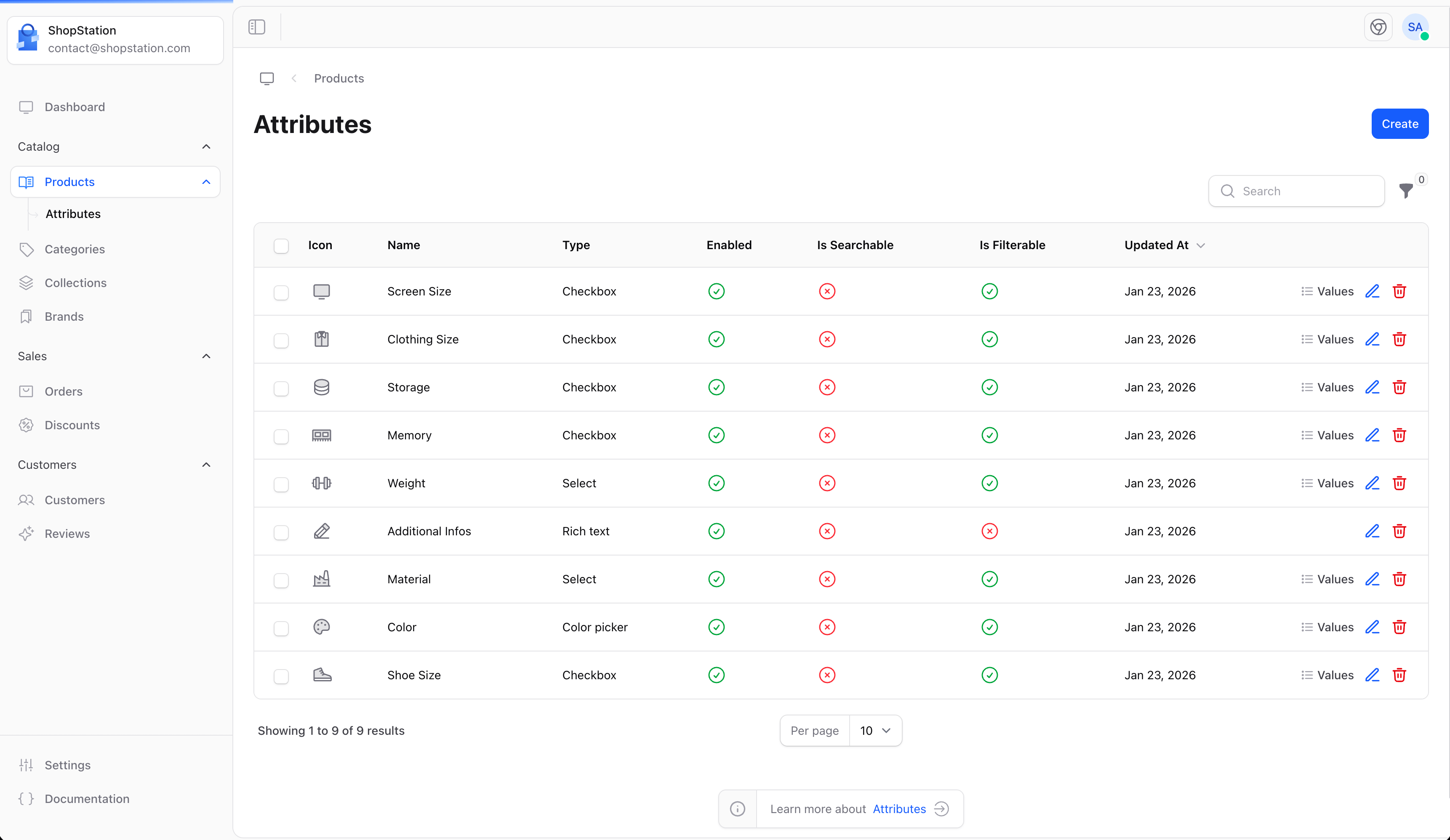
Creating an Attribute
To create a new attribute:
- Click the Create button
- Define the attribute details
- Add attribute values
- Click Save
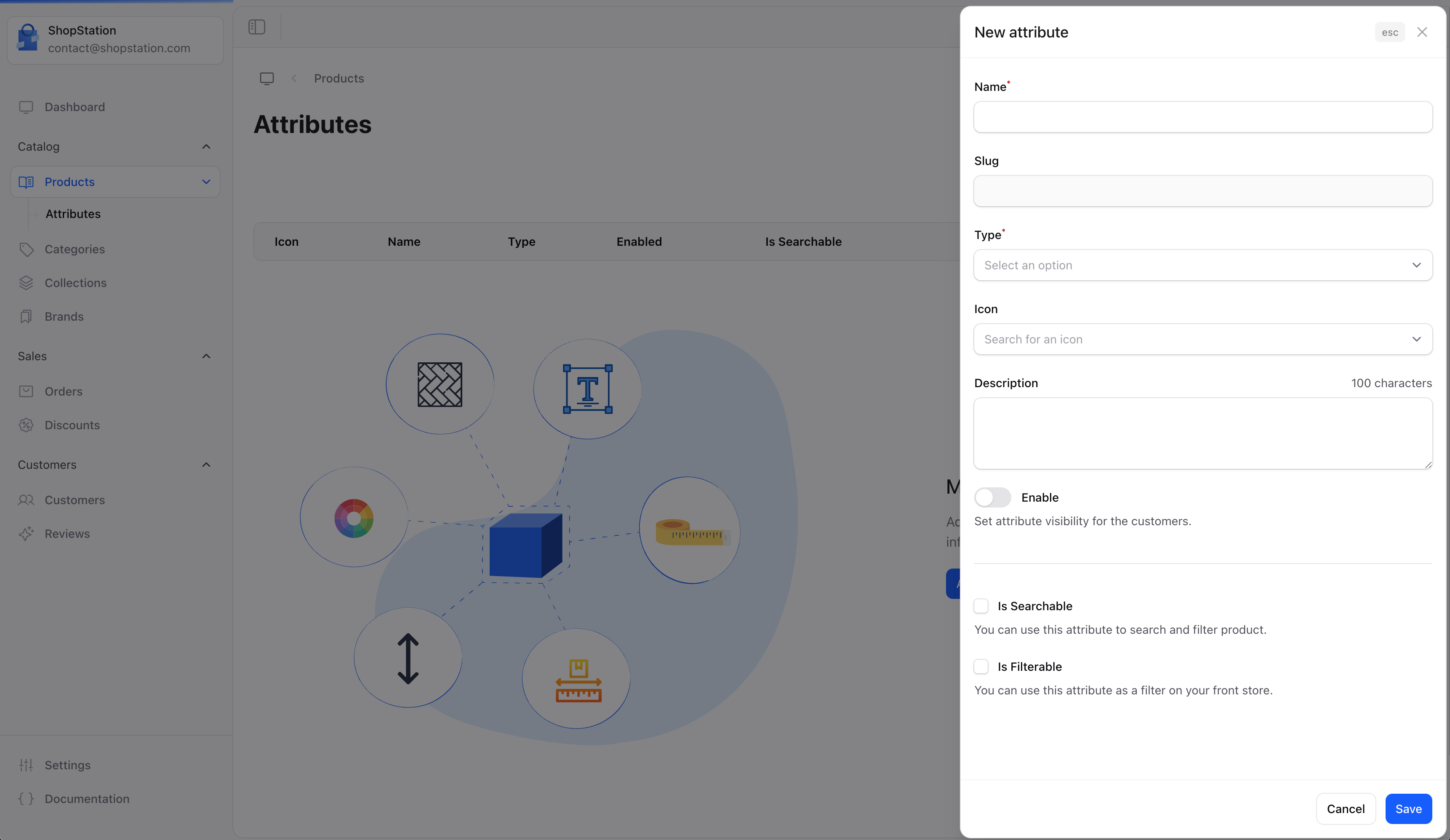
Attribute Fields
| Field | Required | Description |
|---|
| Name | Yes | The attribute name (e.g., “Color”, “Size”) |
| Type | Yes | How values are selected (dropdown, radio, etc.) |
| Description | No | Explain what this attribute represents |
| Enabled | No | Toggle to activate the attribute |
Attribute Types
Choose how customers will select attribute values:
| Type | Best For |
|---|
| Dropdown | Many options (countries, sizes) |
| Radio buttons | Few options with clear differences |
| Checkbox | Multiple selections allowed |
| Color swatch | Color selection with visual preview |
| Text | Custom customer input |
Attribute Values
After creating an attribute, add the possible values:
| Attribute | Example Values |
|---|
| Size | XS, S, M, L, XL, XXL |
| Color | Red, Blue, Green, Yellow, Black, White |
| Material | Cotton, Wool, Polyester, Silk |
Using Attributes on Products
Once created, attributes can be assigned to products:
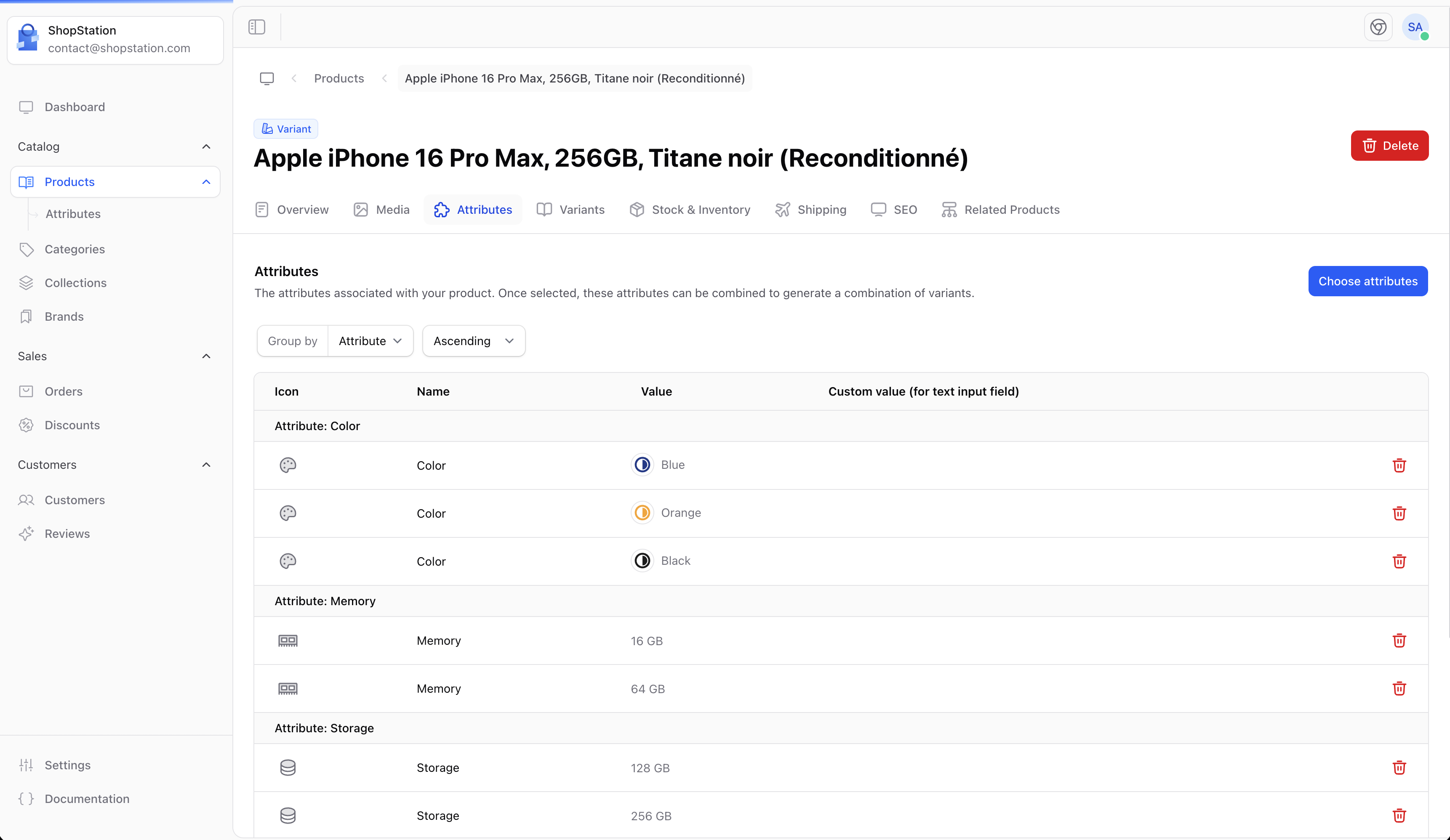
Attributes enable you to:
- Create product variants (e.g., a shirt in multiple sizes)
- Allow customers to filter products
- Compare products with similar attributes
Common Attribute Examples
Fashion / Apparel
| Attribute | Values |
|---|
| Size | XS, S, M, L, XL |
| Color | Various colors |
| Material | Cotton, Polyester, etc. |
| Fit | Slim, Regular, Loose |
Electronics
| Attribute | Values |
|---|
| Storage | 64GB, 128GB, 256GB |
| Color | Black, White, Silver |
| Memory | 4GB, 8GB, 16GB |
Food & Beverages
| Attribute | Values |
|---|
| Weight | 250g, 500g, 1kg |
| Flavor | Vanilla, Chocolate, etc. |
Best Practices
Create attributes before adding products. It’s easier to set up your attribute structure first and then assign them to products.
- Be consistent - Use the same attribute names across similar products
- Keep it simple - Only create attributes that help customers make decisions
- Use clear names - Attribute names should be instantly understandable
- Order logically - Arrange values in a logical order (S, M, L, not M, S, L)