
Overview
Collections are useful for:- Seasonal promotions - “Summer Collection”, “Holiday Gifts”
- Marketing campaigns - “Best Sellers”, “New Arrivals”
- Thematic groupings - “Eco-Friendly Products”, “Made in France”
Accessing Collections
Click on Collections in the sidebar to access collection management.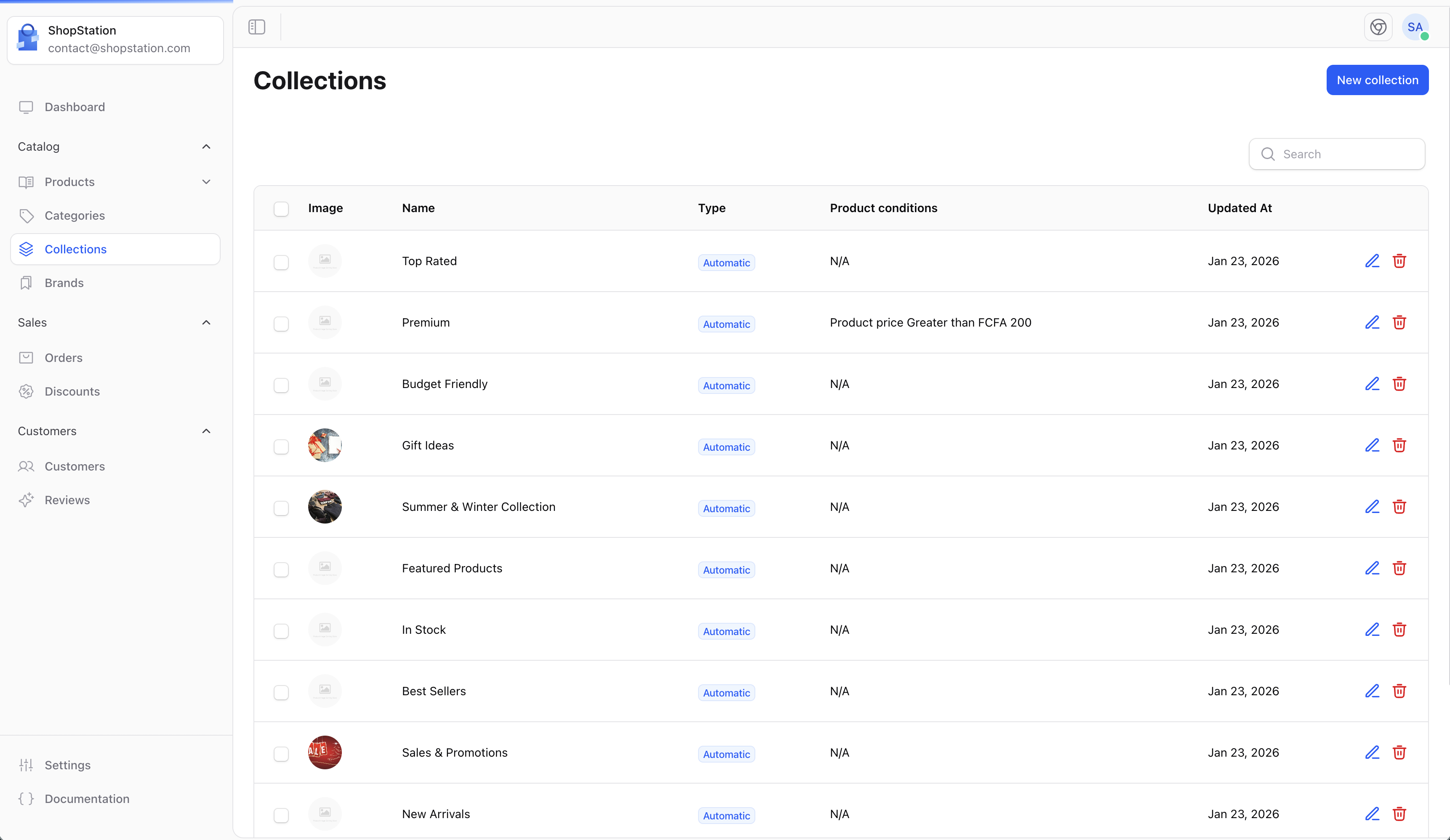
Creating a Collection
To create a new collection:- Click the Create button
- Fill in the collection details
- Add products to the collection
- Click Save
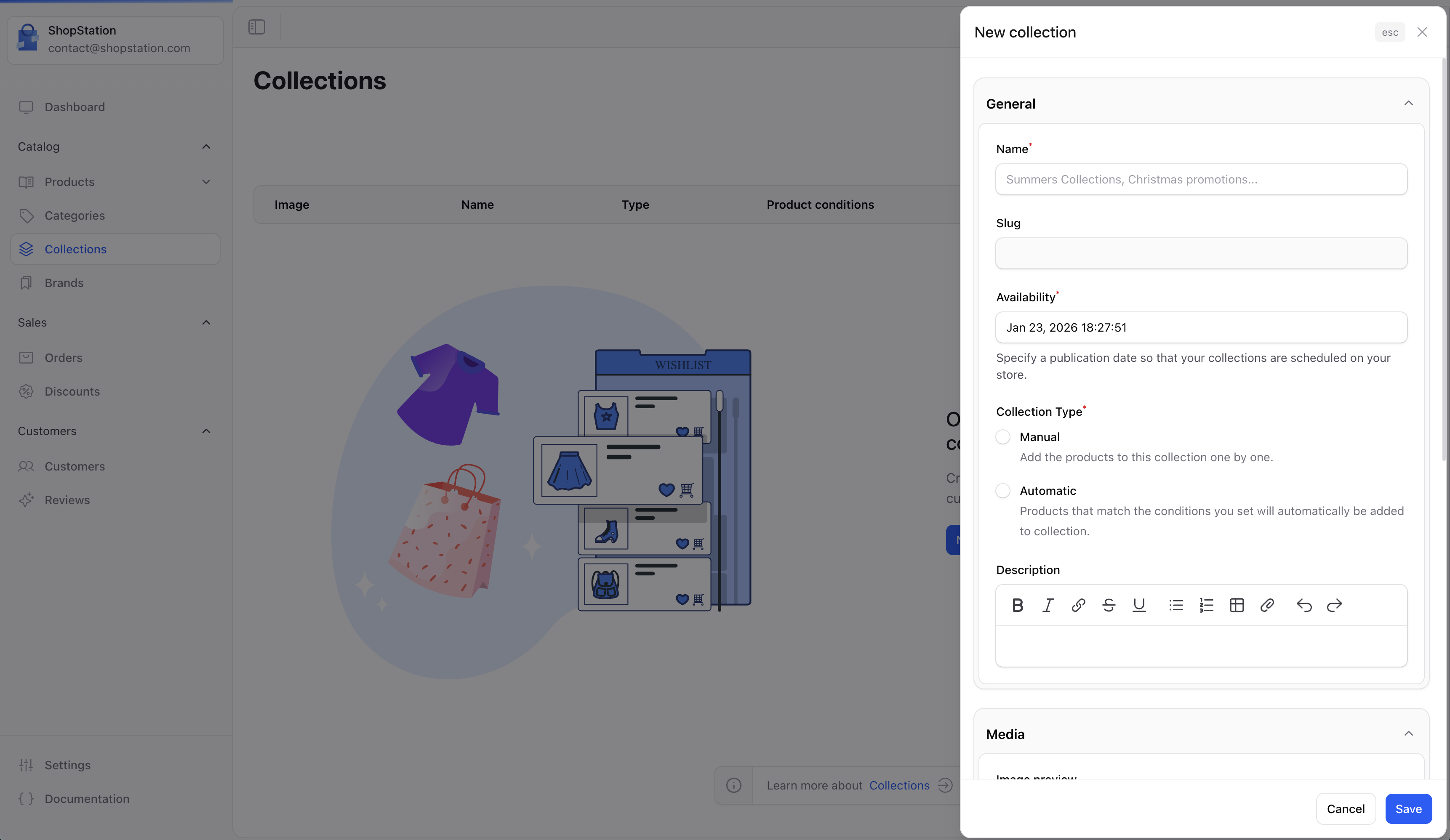
Collection Fields
Collection Types
Manual Collections
Manually select which products belong to the collection:- Full control over which products are included
- Products stay in the collection until you remove them
- Best for curated selections
Automatic Collections
Use rules to automatically include products: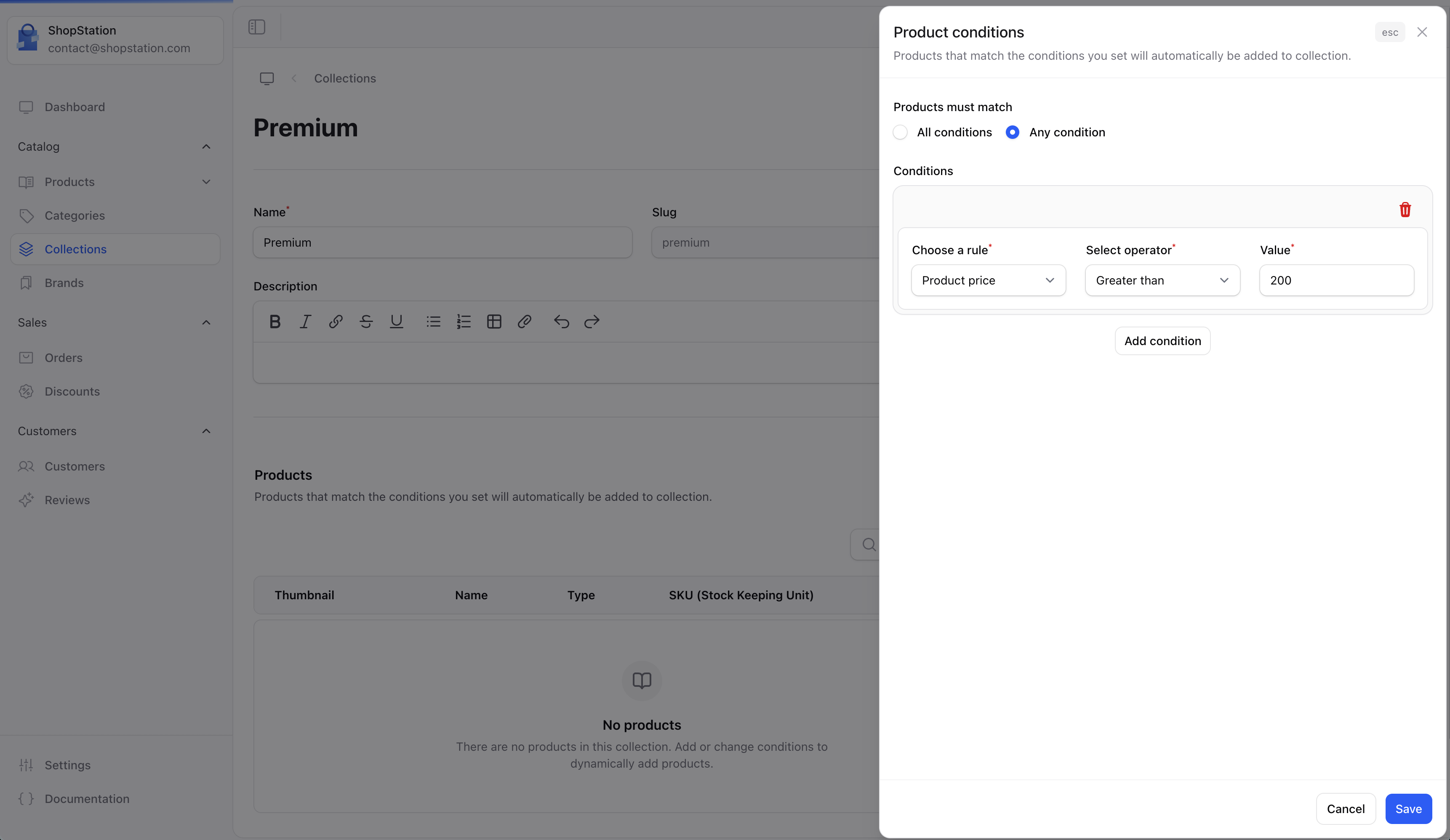
Collection Preview
Preview how your collection will appear to customers:
Collections on Storefront
Customers can browse your collections on the storefront: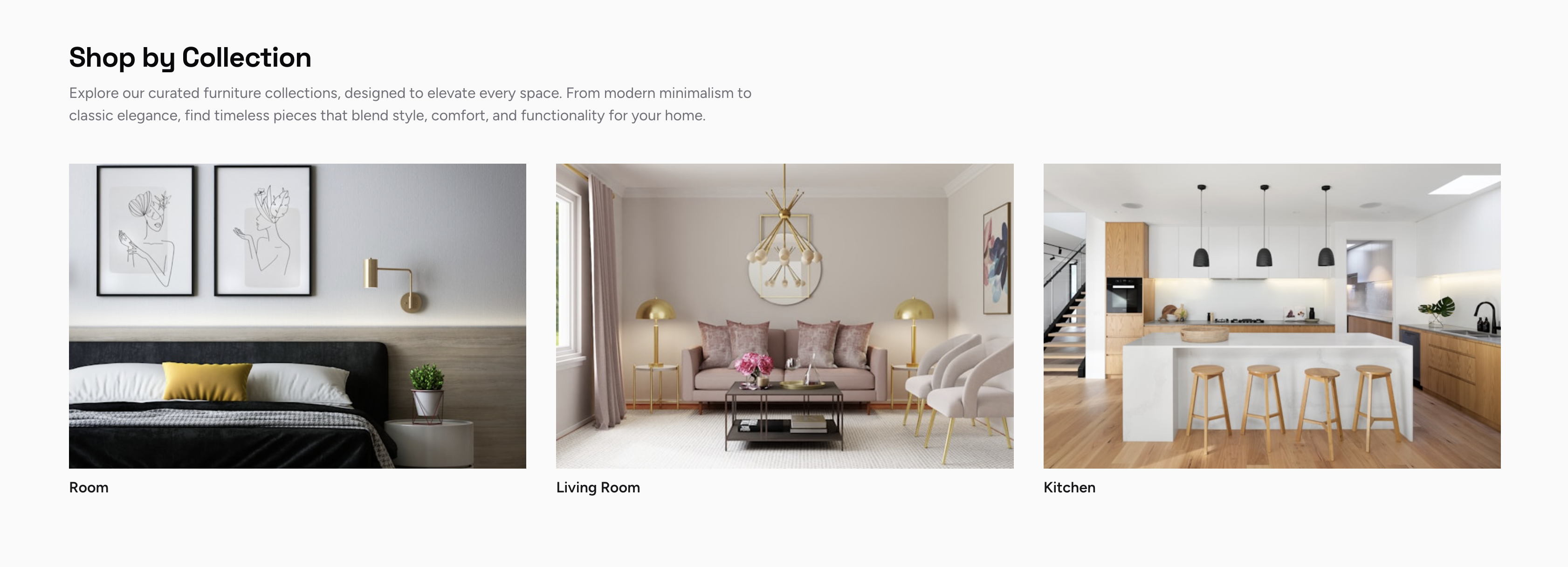
Use Cases
New Arrivals
Create an automatic collection for products added in the last 30 days.
Sale Items
Group all discounted products for easy customer access.
Gift Guides
Manually curate products perfect for gifting occasions.
Trending
Highlight your most popular products.
Best Practices
- Update regularly - Keep seasonal collections fresh and relevant
- Use compelling images - Collection images should be eye-catching
- Write descriptions - Help customers understand what makes the collection special
- Feature on homepage - Use collections to drive traffic to key products