
Overview
The access control system consists of:- Roles - Groups of permissions assigned to users
- Permissions - Individual actions a user can perform
Accessing Roles & Permissions
- Click on Settings in the sidebar
- Navigate to the access control section
Understanding Permissions
Permissions control access to specific actions: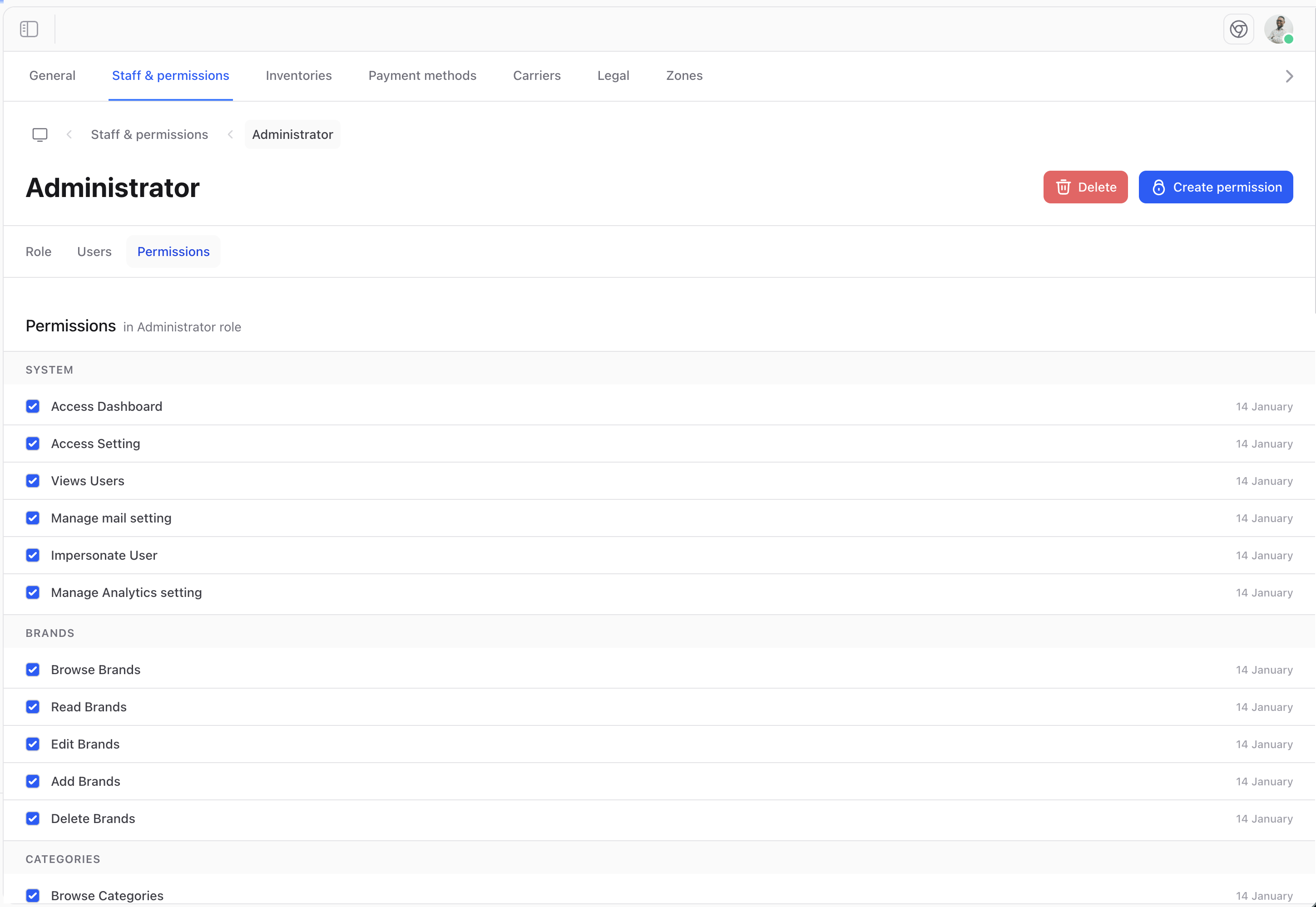
Permission Categories
Browsing Permissions
View all available permissions in the system:Managing Roles
Creating a Role
To create a new role:- Navigate to Roles
- Click Create role
- Enter a name and description
- Select permissions
- Click Save
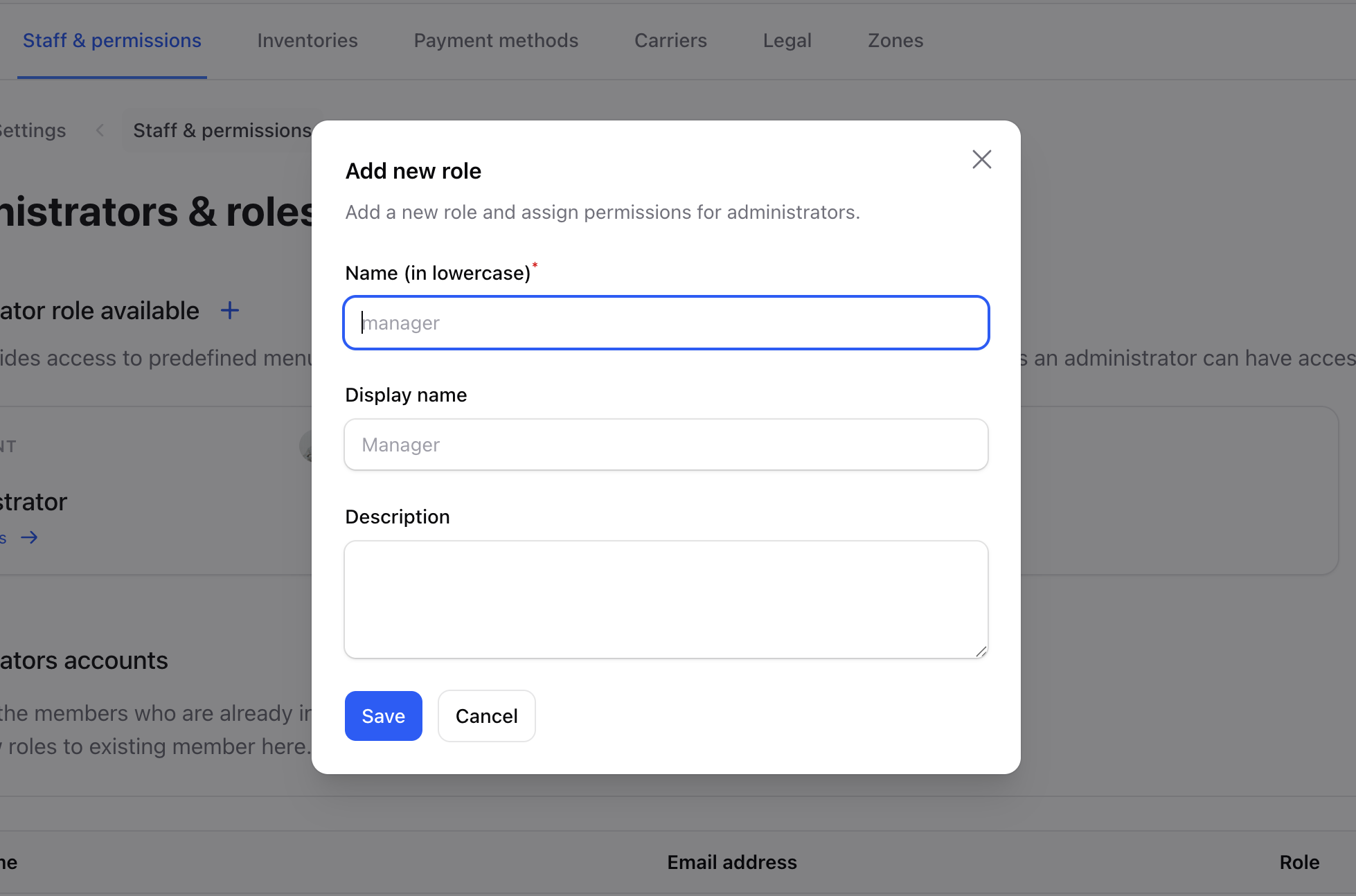
Role Fields
Updating a Role
Modify an existing role: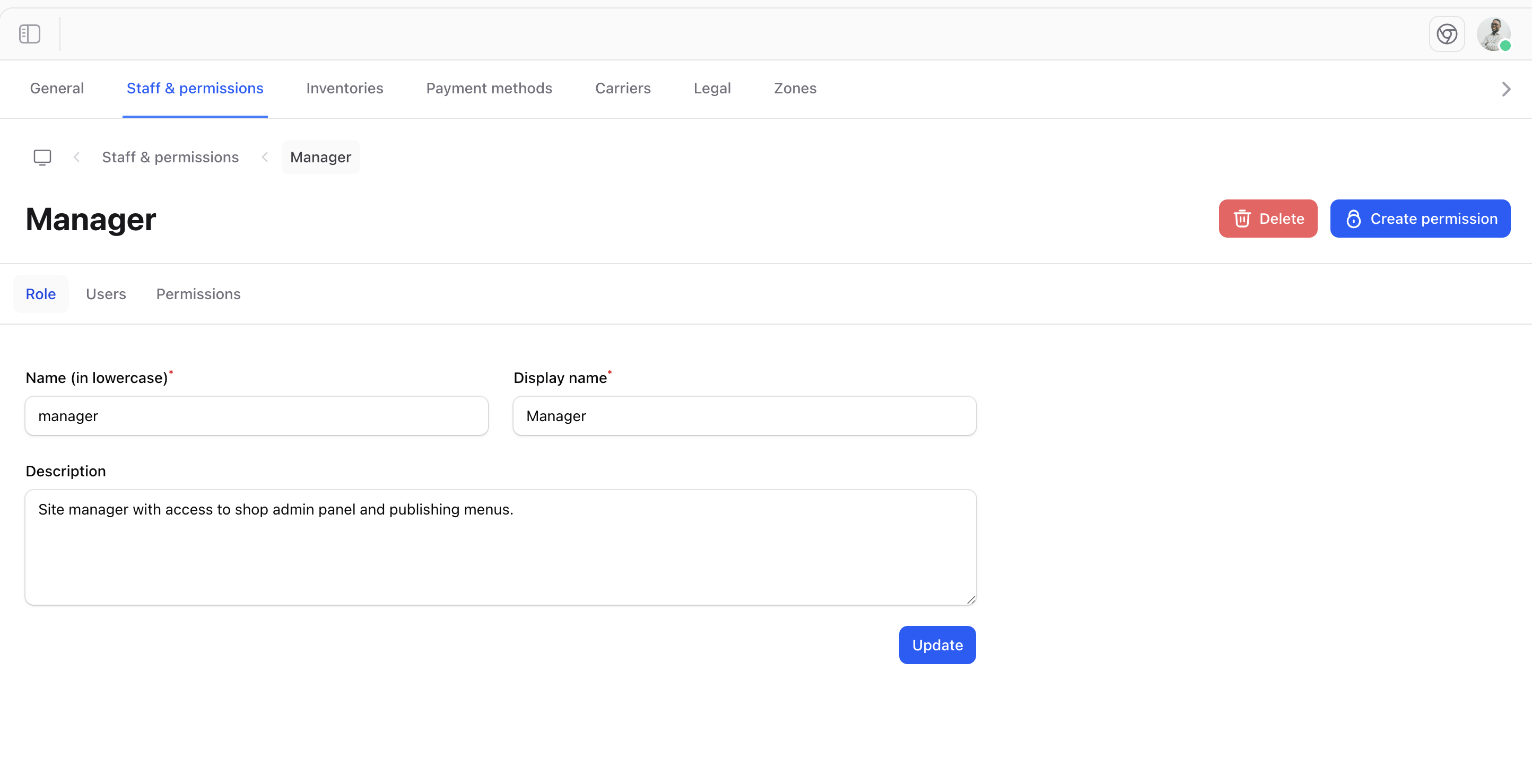
Update Role
Creating Permissions
Add custom permissions for your specific needs: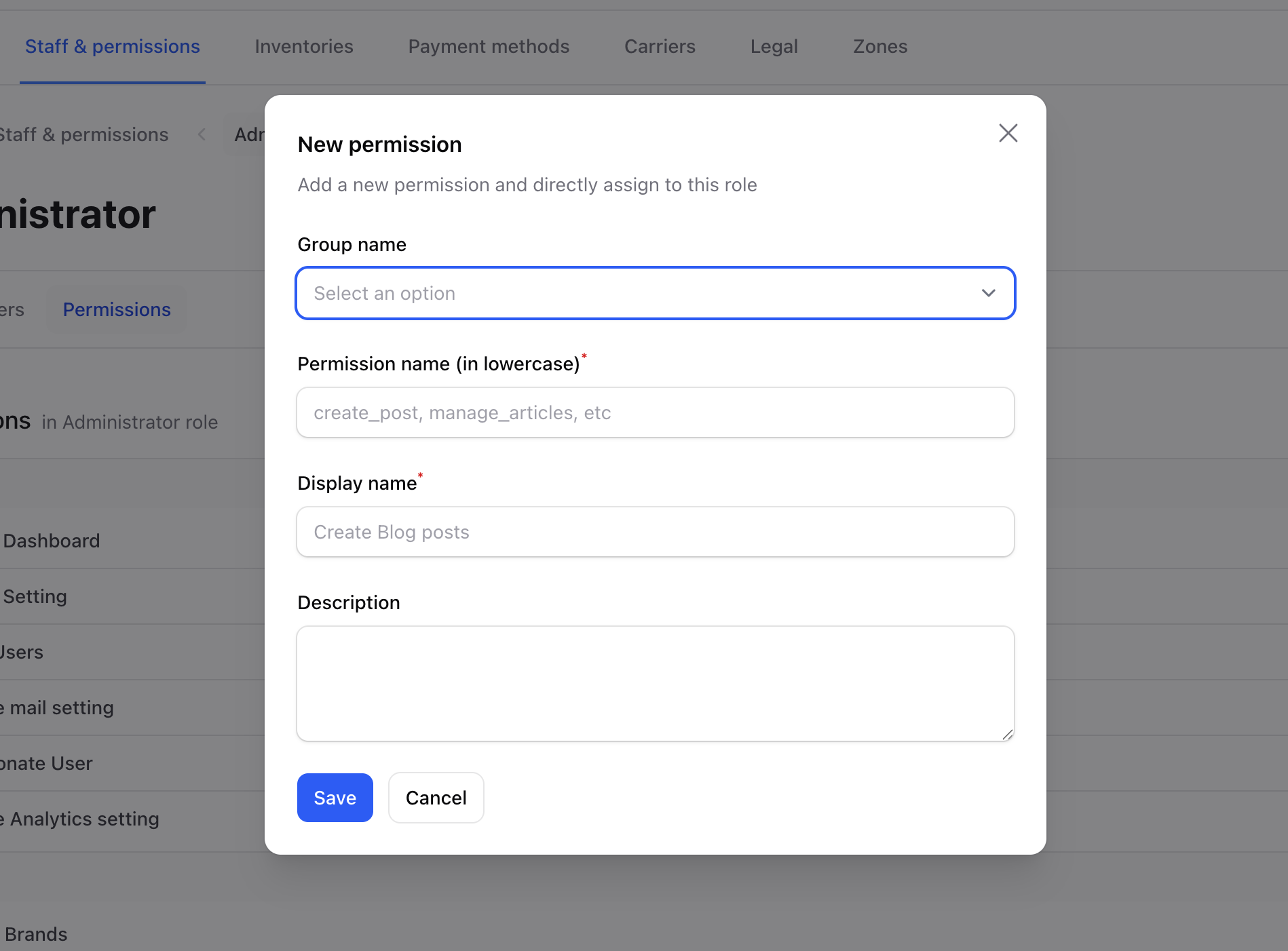
Add Permission Form
Creating or deleting a permission requires an Administrator account. Other staff members can still grant existing permissions to roles, but only permissions they hold themselves, and they cannot modify the Administrator role.
Custom Permissions
Create permissions tailored to your business:
Common Role Examples
Store Manager
Full operational access:- All product permissions
- All order permissions
- All customer permissions
- Limited settings access
Content Editor
Focus on catalog management:- View/edit products
- View/edit categories
- View/edit collections
- No order or customer access
Support Agent
Customer service focus:- View orders
- View customers
- Limited edit capabilities
- No product management
Marketing
Promotional access:- View products
- Manage discounts
- Manage collections
- No customer data access
Best Practices
Start Restrictive
Begin with minimal permissions and add as needed.
Group Logically
Create roles that match actual job functions.
Review Regularly
Audit roles periodically to ensure they’re still appropriate.
Document Roles
Keep clear descriptions of what each role can do.
Permission Hierarchy
When assigning permissions, consider:- View - Can see the information
- Create - Can add new items
- Edit - Can modify existing items
- Delete - Can remove items (most sensitive)
Security Considerations
- Audit trails - Track who changed what
- Separation of duties - Don’t give one person all permissions
- Regular reviews - Remove unnecessary access
- Test roles - Verify permissions work as expected