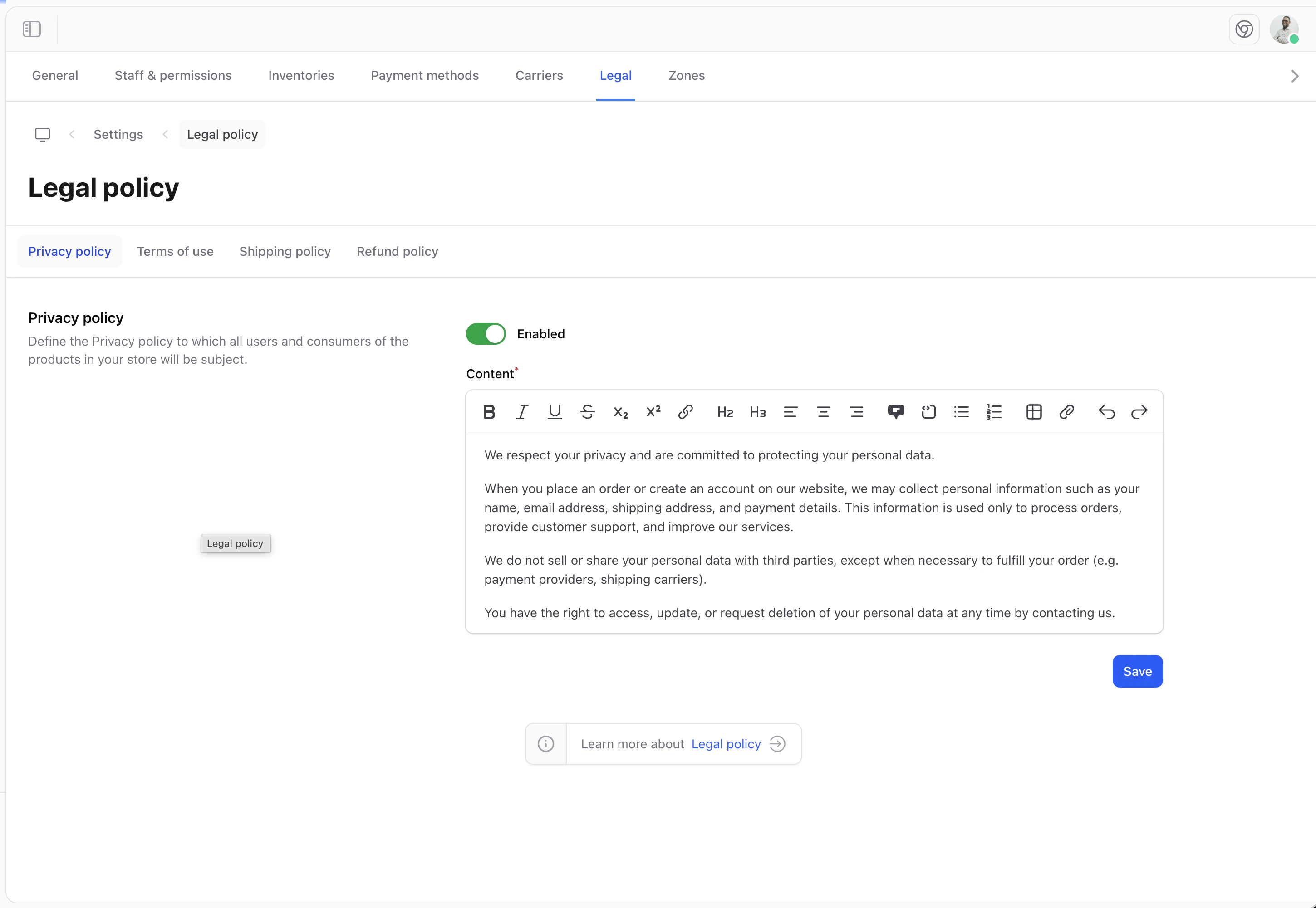
Legal pages are essential for any e-commerce store. They protect both you and your customers by clearly outlining the rules and policies of your business.
Why Legal Pages Matter
Legal pages help you:
- Comply with local and international regulations (GDPR, CCPA, etc.)
- Protect your business from liability
- Build trust with customers
- Define clear terms for transactions
Accessing Legal Settings
- Click on Settings in the sidebar
- Select Legal from the settings menu
Available Legal Pages
Shopper allows you to configure the following legal documents:
Editing Legal Content
To edit a legal page:
- Click on the page you want to edit
- Use the rich text editor to write or paste your content
- Click Save to publish your changes
Writing Your Legal Pages
Terms of Service
Your Terms of Service should include:
- Acceptance of terms
- User responsibilities
- Prohibited activities
- Intellectual property rights
- Limitation of liability
- Dispute resolution
Privacy Policy
Your Privacy Policy should cover:
- What data you collect
- How you use the data
- How you protect customer data
- Cookie usage
- Third-party services
- Customer rights regarding their data
Refund Policy
Your Refund Policy should explain:
- Eligibility for refunds
- Timeframe for requesting refunds
- Refund process
- Exceptions
- Exchange options
Consider consulting with a legal professional to ensure your policies comply with applicable laws in your jurisdiction and the regions where you sell.
Displaying Legal Pages on Your Storefront
Shopper stores the content of your legal pages, but does not create the storefront routes automatically. Your developer needs to set up the pages on your website to display this content. Once configured, legal pages are typically:
- Linked in your website footer
- Shown during checkout when required
- Accessible from customer account pages
Legal pages are not published to your storefront automatically. Ask your developer to create the routes and views to display them. See the Legal developer documentation for implementation details.