
Overview
Advanced pricing allows you to:- Set up sale prices and compare-at prices
- Create customer group pricing
- Implement quantity-based discounts
- Schedule price changes
Basic Price Structure
Every product has these pricing fields: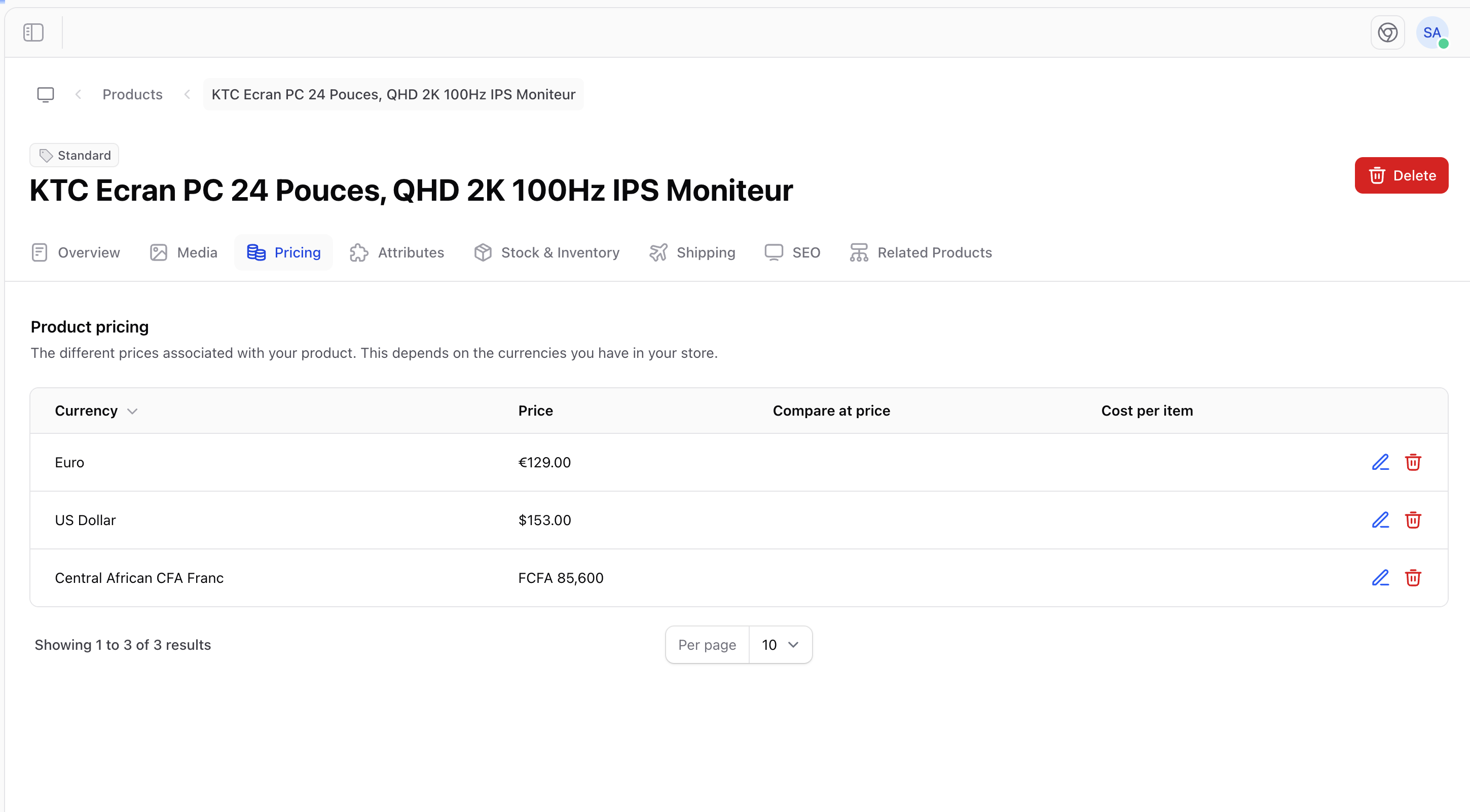
Product Pricing Section
Sale Pricing
To put a product on sale:- Set the Price to the sale price
- Set the Compare at price to the original price
- The original price will display as strikethrough
Example
Customers see: ~~24.99** (Save 29%)
Cost and Profit
Track your margins by entering the cost per item:Variant Pricing
When products have variants, you can set different prices:
This is useful for:
- Size-based pricing (larger = more expensive)
- Premium option pricing
- Material-based pricing
Pricing Strategies
Competitive Pricing
Price products similar to competitors.
Value Pricing
Price based on perceived value to customers.
Bundle Pricing
Offer discounts when products are bought together.
Dynamic Pricing
Adjust prices based on demand and inventory.
Price Display
Prices appear throughout your store:- Product listing pages
- Product detail pages
- Shopping cart
- Checkout
- Order confirmations
Currency Formatting
Prices are formatted according to your currency settings:Best Practices
Setting Prices
- Research competitors - Know what similar products cost
- Consider costs - Ensure profitable margins
- Test prices - A/B test different price points
- Round strategically - 30.00
Managing Sales
- Plan ahead - Schedule sales in advance
- Limit duration - Create urgency with end dates
- Track results - Monitor sales performance
- Restore prices - Remember to revert after sales end
Pricing Checklist
Before publishing a product, verify:- Price is set correctly
- Compare at price (if applicable) is higher than price
- Cost per item is entered for margin tracking
- Variant prices are consistent with your strategy
- Currency formatting looks correct