As with any e-commerce site, it is important for users to know the terms and conditions and privacy policy that your site offers. This is for their own safety and yours as well. This section allows you to set up your pages for your privacy policy, return policy, terms of use and shipping policy to be presented to customers.

Model

The model used is Shopper\Core\Models\Legal. It uses the HasSlug trait for automatic slug generation.

Database Schema

ColumnTypeNullableDefaultDescription
idbigintnoautoPrimary key
titlestringno-Legal page title (unique)
slugstringnoautoURL-friendly identifier (unique)
contentlongtextyesnullLegal page content (rich text)
is_enabledbooleannofalseWhether this legal page is published
created_attimestampyesnullCreation timestamp
updated_attimestampyesnullLast update timestamp

Components

The components used to manage Legal page are found in the component configuration file config/shopper/components/setting.php. Each component corresponds to the page that is defined
use Shopper\Livewire;

return [
    'pages' => [
        // ...
        'settings.legal.privacy' => Components\Settings\Legal\Privacy::class,
        'settings.legal.refund' => Components\Settings\Legal\Refund::class,
        'settings.legal.shipping' => Components\Settings\Legal\Shipping::class,
        'settings.legal.terms' => Components\Settings\Legal\Terms::class,
        // ...
    ];
];
In your administration area you must click on the “cog” icon to display the settings page of your store. From your admin panel, on the blue sidebar click on the cog icon, go to Settings > Legal. Once in this page, all the legal pages are displayed as a tab. You can just fill in the content of each page and click on the Enable switch to retrieve the content of your page and display it in your front-end.
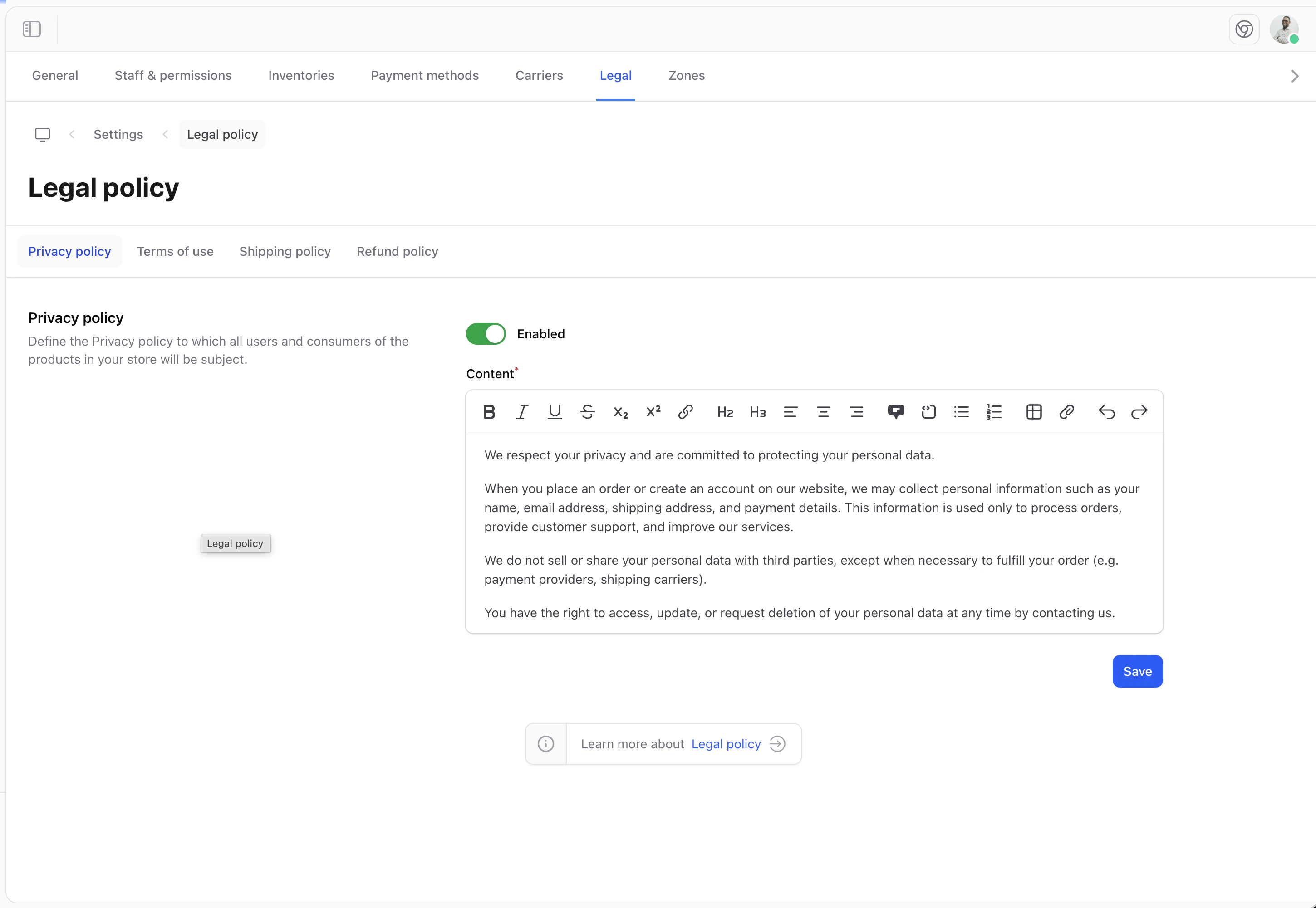
legal settings
Shopper does not generate the routes for the legal pages, you should set them up yourself. As mentioned in the introduction of this documentation, the Framework is just an e-commerce administration

Retrieve Data

Once the information is filled in, we can display it to our users in the views we have created. To do this we will start by creating a controller that will take care of collecting our information and send it to a view
php artisan make:controller LegalController
We will add the functions for each of our pages and return the information to present them to our users. Our controller will look like this
namespace App\Http\Controllers;

use Shopper\Core\Models\Legal;

class LegalController extends Controller
{
    public function privacy()
    {
        return view('legal.privacy', [
            'legal' => Legal::enabled()->where('slug', 'privacy')->first(),
        ]);
    }

    public function refund()
    {
        return view('legal.refund', [
            'legal' => Legal::enabled()->where('slug', 'refund')->first(),
        ]);
    }

    public function terms()
    {
        return view('legal.terms', [
            'legal' => Legal::enabled()->where('slug', 'terms')->first(),
        ]);
    }

    public function shipping()
    {
        return view('legal.shipping', [
            'legal' => Legal::enabled()->where('slug', 'shipping')->first(),
        ]);
    }
}
Legal::enabled() is a scope that filters legal pages where is_enabled is true. This ensures draft pages are not shown to customers.

Routes

Once we have created the controllers we will associate the routes that will allow us to display our contents. We will display our content in the web.php.
use App\Http\Controllers\LegalController;

/*
* Legal routes
*/
Route::get('/privacy', [LegalController::class, 'privacy'])->name('legal.privacy');
Route::get('/terms-of-use', [LegalController::class, 'terms'])->name('legal.terms');
Route::get('/refund-policy', [LegalController::class, 'refund'])->name('legal.refund');
Route::get('/shipping', [LegalController::class, 'shipping'])->name('legal.shipping');

Views

You can create views in this way to arrange the content of your legal pages.
resources/views/legal/
    privacy.blade.php
    terms.blade.php
    refund.blade.php
    shipping.blade.php
It’s just an idea of how to make your views, not a recommendation. If your front-end is in react, vue or svelte you will not necessarily have the same architecture. So keep in mind that it’s just to display your content.
Example of a view
@extends('layouts.app')

@section('body')

    <x-legal-layout>
        <x-slot name="title">
            <h2 class="text-2xl font-bold uppercase text-dark tracking-wider font-heading sm:text-3xl">
                {{ __('Privacy Policy') }}
            </h2>
            <span class="text-sm leading-5 text-gray-500">{{ __('Last update: :date', ['date' => $legal->created_at->format('d, F Y')]) }}</span>
        </x-slot>

        {!! $legal->content  !!}

    </x-legal-layout>

@endsection