
Components
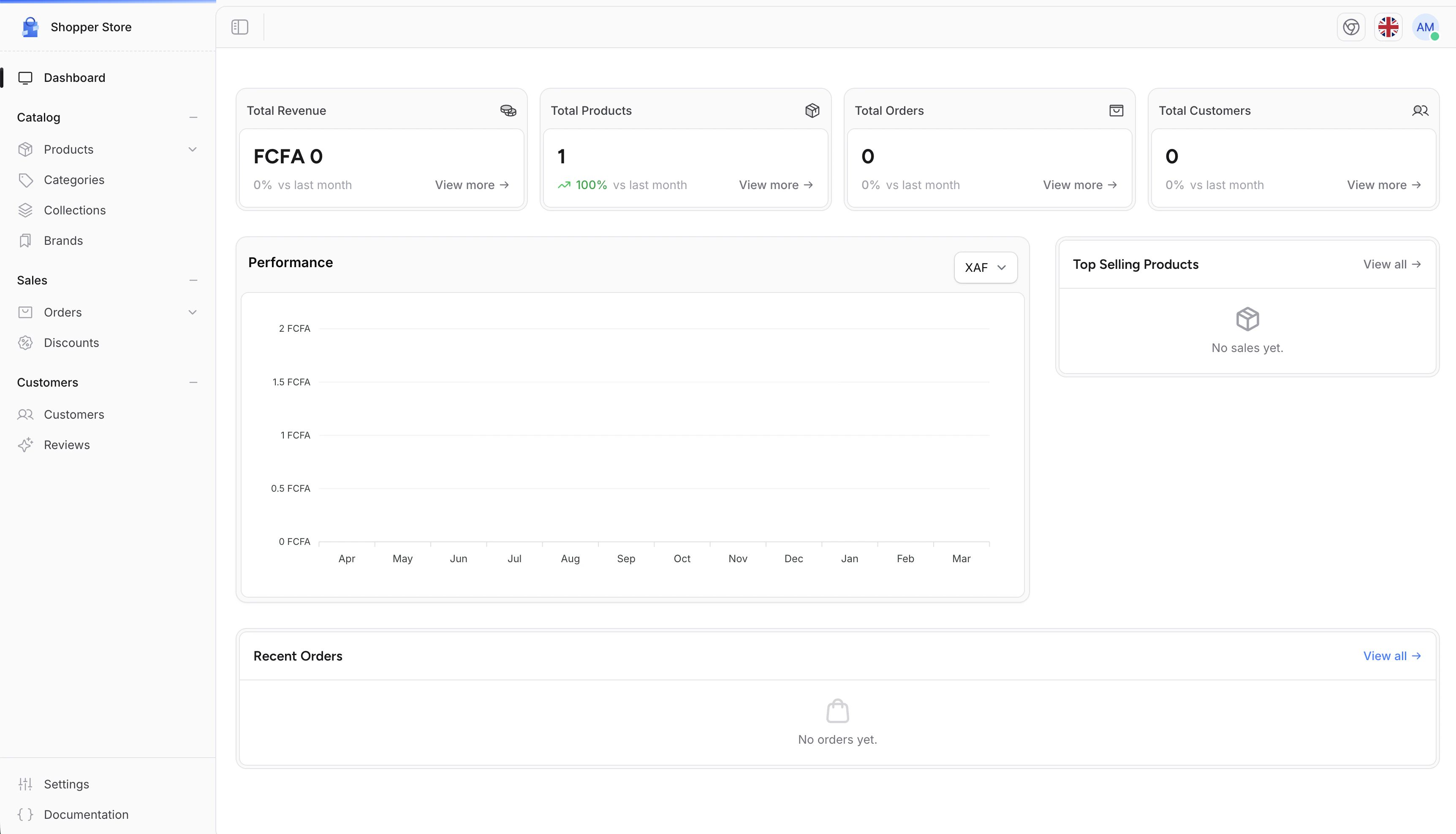
The dashboard is composed of five Livewire components, each with independent caching and a focused responsibility.RevenueChart
Displays monthly revenue as a bar chart for the last 12 months. Data is grouped by month in a single aggregated query and cached with flexible TTL (fresh for 5 minutes, stale up to 30 minutes). The chart supports a currency filter. When you have multiple active currencies, a dropdown lets you switch between them. The Y-axis and tooltip are formatted usingIntl.NumberFormat with the store’s locale and currency symbol.
The revenue query supports MySQL, PostgreSQL, and SQLite with database-specific date expressions.
StatCards
Shows four summary cards comparing the current month to the previous month:
Each card shows the percentage change versus the previous month, with a green or red trend indicator. Cards link to their respective admin sections.
RecentOrders
A table of the 7 most recent orders, excluding orders with Cancelled or Archived status. Each row shows the order number, first product with thumbnail, total amount, payment status badge, and links to the order detail page.TopSellingProducts
Ranks the top 6 products by total quantity sold across paid orders. Variant sales are aggregated back to the parent product. Each row shows the product thumbnail, name, total units sold, and average review score.SetupGuide
An interactive checklist that guides new stores through the essential configuration steps. It appears on first login and auto-detects completion by querying the database: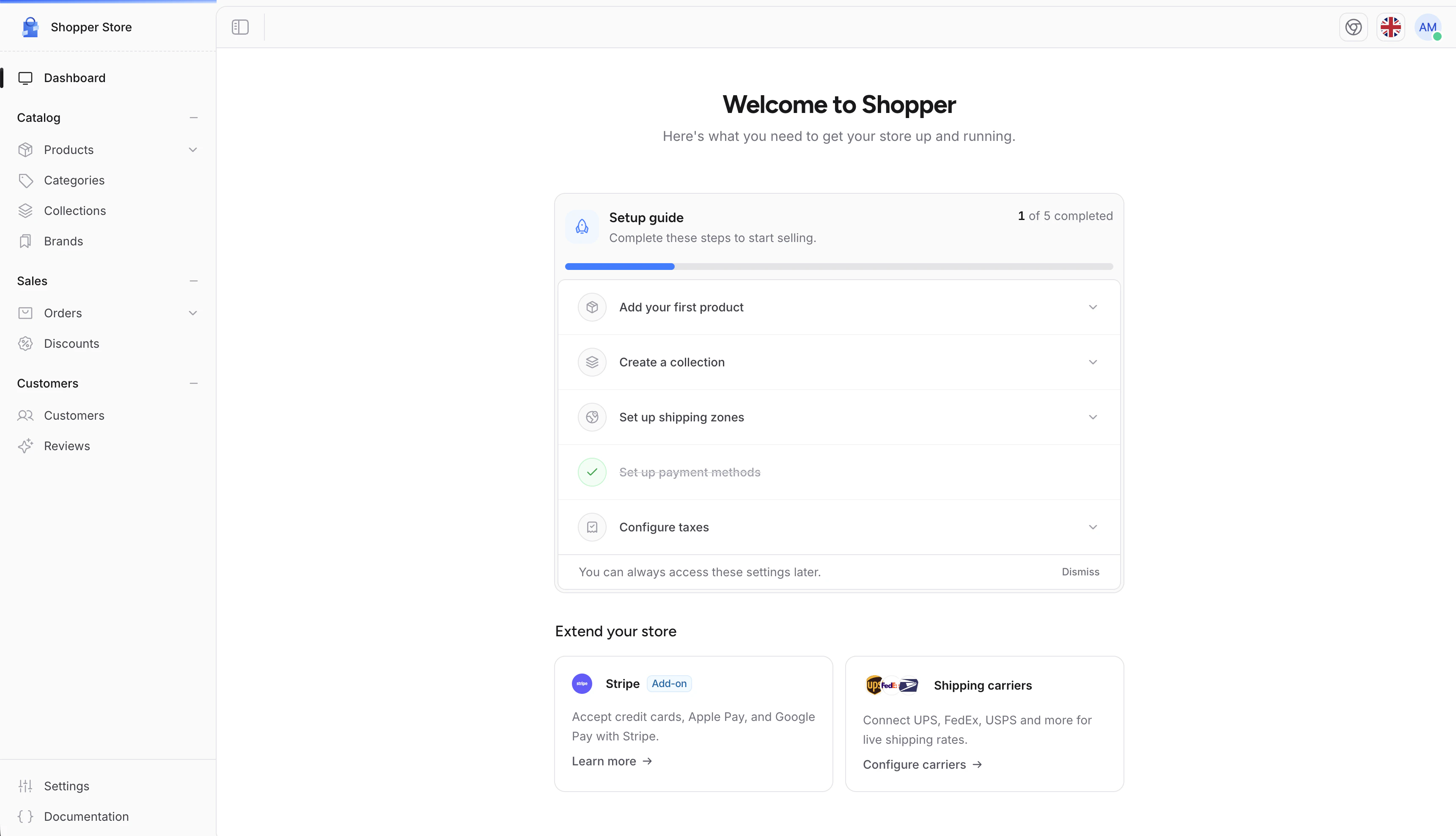
When all steps are marked complete, the guide saves a
setup_guide_done setting and dispatches a setup-guide-completed event to hide itself. It does not reappear on subsequent visits. The guide can also be dismissed early with the dismiss button.
Caching
Each dashboard component caches its data independently. The cache keys and TTLs are:
To clear the dashboard cache manually (for example after a data import), flush the keys:
Access Requirements
The dashboard middleware checks two conditions before rendering the page. The user must be an admin or have theaccess_dashboard permission. The store must have the email and street_address settings configured (these are set during the initial store setup).
If the settings are missing, the middleware redirects to the store initialization page. If the user lacks permission, a 403 response is returned.
Customizing the Dashboard
Replacing the Entire Page
The dashboard page is registered in the components configuration. Publish the dashboard component config to swap it with your own implementation:config/shopper/components/dashboard.php:
Overriding Individual Components
If you want to replace a single widget (for example, swap the revenue chart for a custom report), publish the dashboard Blade view and edit it directly. First, publish Shopper’s views:resources/views/vendor/shopper/livewire/pages/dashboard.blade.php. The view renders each component via Livewire tags that you can replace:
Adding Content via Render Hooks
If you only want to inject content above or below the dashboard without replacing the page or publishing views, use the layout render hooks:boot method. See the Render Hooks documentation for the full list of available injection points.