
Fields
The model used isShopper\Core\Models\Legal.
Components
The components used to manage Legal page are found in the component configuration fileconfig/shopper/components.php. Each component corresponds to the page that is defined
Add Legal content
In your administration area you must click on the “cog” icon to display the settings page of your store.- From your admin panel, on the blue sidebar click on the cog icon, go to
Settings > Legal.

Settings > Legal
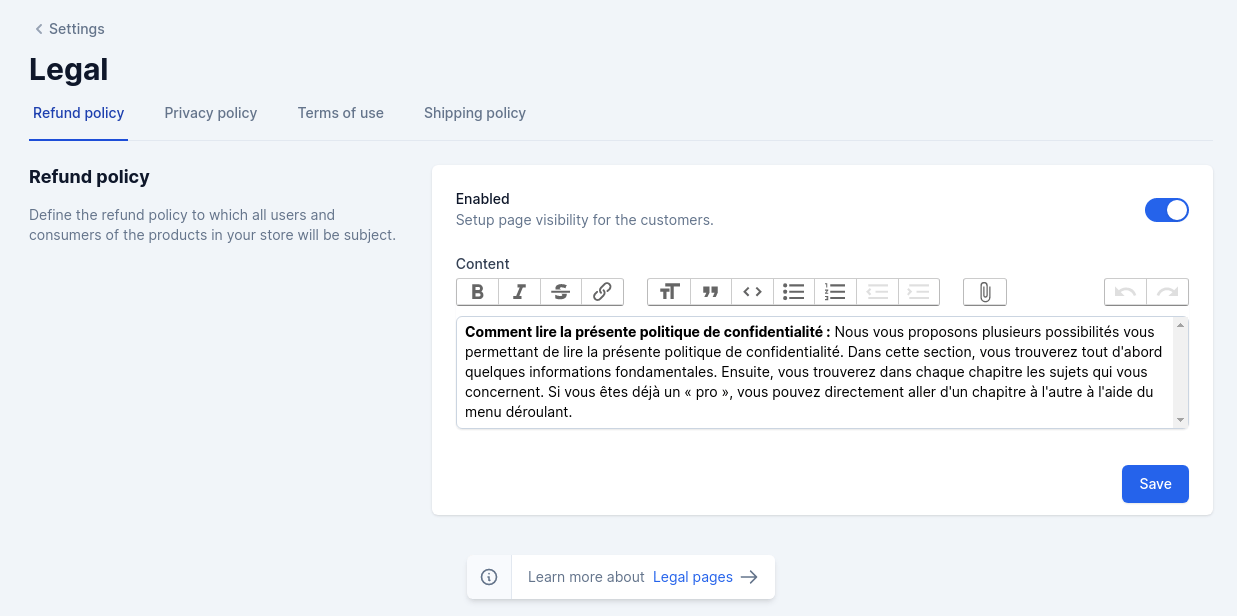
Legal pages
Retrieve Data
Once the information is filled in, we can display it to our users in the views we have created. To do this we will start by creating a controller that will take care of collecting our information and send it to a viewLegal::enabled() is a scope to retrieve the page only when it is available. This is a simple way to retrieve the pages but you can do it otherwise all the front-end code depends on you. To learn more about the scopes you can consult the documentation.
Routes
Once we have created the controllers we will associate the routes that will allow us to display our contents. We will display our content in theweb.php.
Views
You can create views in this way to arrange the content of your legal pages.It’s just an idea of how to make your views, not a recommendation. If your front-end is in react, vue or svelte you will not necessarily have the same architecture. So keep in mind that it’s just to display your content.