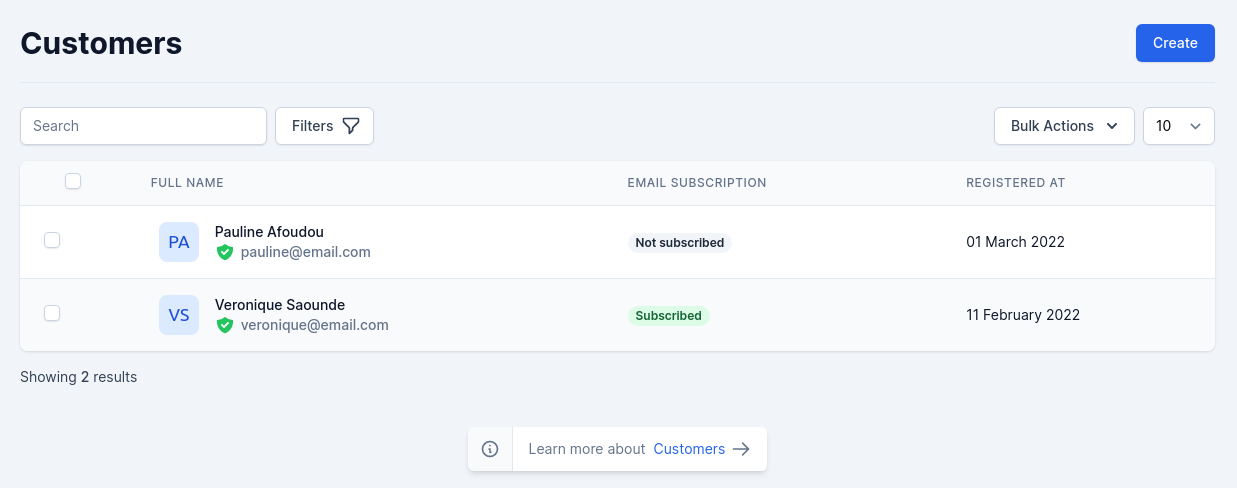
The first page under the “Customers” menu gives you a list of all the registered users on your shop.
Customers

Customers

During the installation of Shopper, one of the first things required is to inherit to our model User the features of the model User that is in Shopper.

Fields

The model used is App\Models\User which extends the \Shopper\Framework\Models\User\User model.
During the installation of Shopper, the name column of the users table is removed and replaced by 2 new fields which are first_name and last_name.
NameTypeRequiredNotes
idautoincauto
first_namestringnoNullable
last_namestringyes
emailstringyesUnique
passwordstringnoNullable
email_verified_attimestampnoNullable
genderenumyesvalues ['male', 'female']
phone_numberstringnoNullable
birth_datedatenoNullable
avatar_typestringnodefault ui-avatars
avatar_locationstringnoNullable, picture filename
timezonestringnoNullable
opt_inbooleannodefault false, this field is for mailing subcription
last_login_attimestampnoNullable
last_login_ipstringnoNullable

Components

The components used to manage customers are found in the component configuration file config/shopper/components.php.
use Shopper\Framework\Http\Livewire;

return [

  'livewire' => [
      'modals.delete-customer' => Livewire\Modals\DeleteCustomer::class,

      'customers.addresses' => Livewire\Customers\Addresses::class,
      'customers.browse' => Livewire\Customers\Browse::class,
      'customers.create' => Livewire\Customers\Create::class,
      'customers.orders' => Livewire\Customers\Orders::class,
      'customers.profile' => Livewire\Customers\Profile::class,
      'customers.show' => Livewire\Customers\Show::class,

      'tables.customers-table' => Livewire\Tables\CustomersTable::class,
  ];

];

Manage Customers

When a new customer places an order with your store, their name and information are automatically added to your customer list. A customer profile is created when a customer interacts with your store. Alternatively, you can add a customer to your store manually.

Create customer

From your Shopper admin, go to Customers and click on “Add customer” button.
Create customer
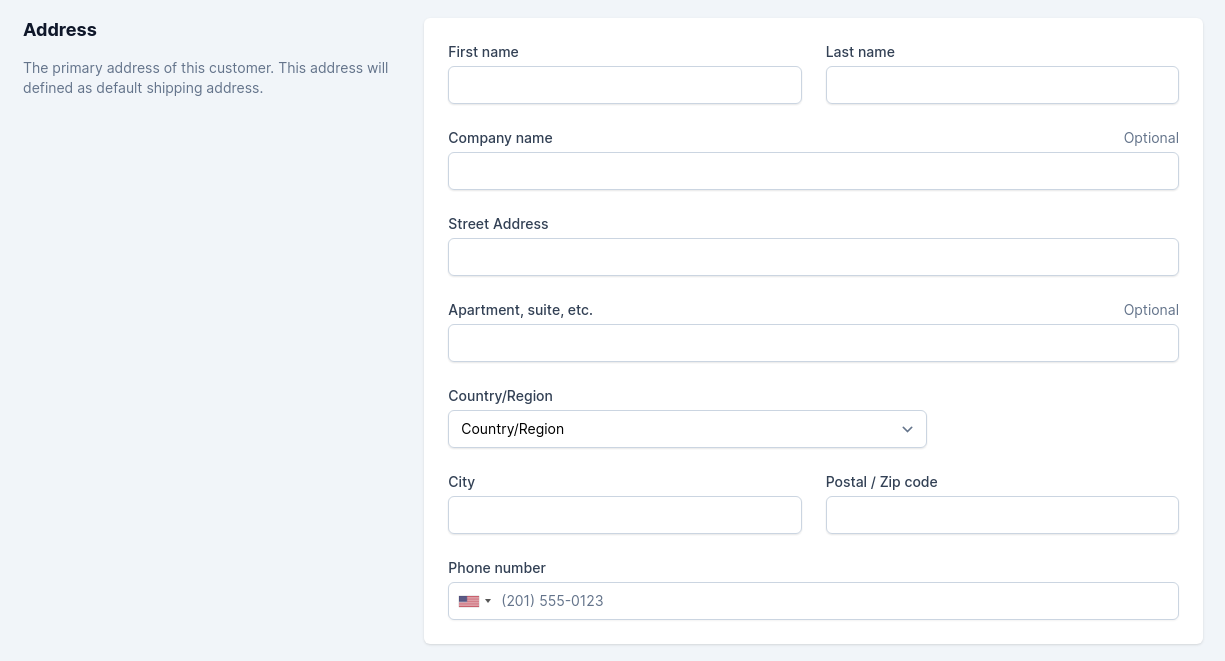
Create customer

When creating a customer manually, you should also fill in an address that will be used when he places an order in your store.
customer address form

Customer address form

Optional: If the customer has agreed to receive marketing emails, and you have entered an email address, then in the Customer overview section, check Customer agreed to receive marketing emails. And you can also check the Send customer credentials checkbox to sent an email to the customer with their login information.
customer notification

Customer notifications

The Livewire component used to create a client is Shopper\Framework\Http\Livewire\Customers\Create
$customer = (new UserRepository())->create([
  'last_name' => $this->last_name,
  'first_name' => $this->first_name,
  'email' => $this->email,
  'password' => Hash::make($this->password),
  'phone_number' => $this->phone_number,
  'email_verified_at' => now()->toDateTimeString(),
  'opt_in' => $this->opt_in,
]);

$customer->assignRole(config('shopper.system.users.default_role'));
The clients that are displayed in the listing page are those that have the user profile which is the default role associated with all clients.

Customer’s Information

In the case where you would like to have more information on a given customer, you can click on the customer name row in the customer’s list. A new page appears.
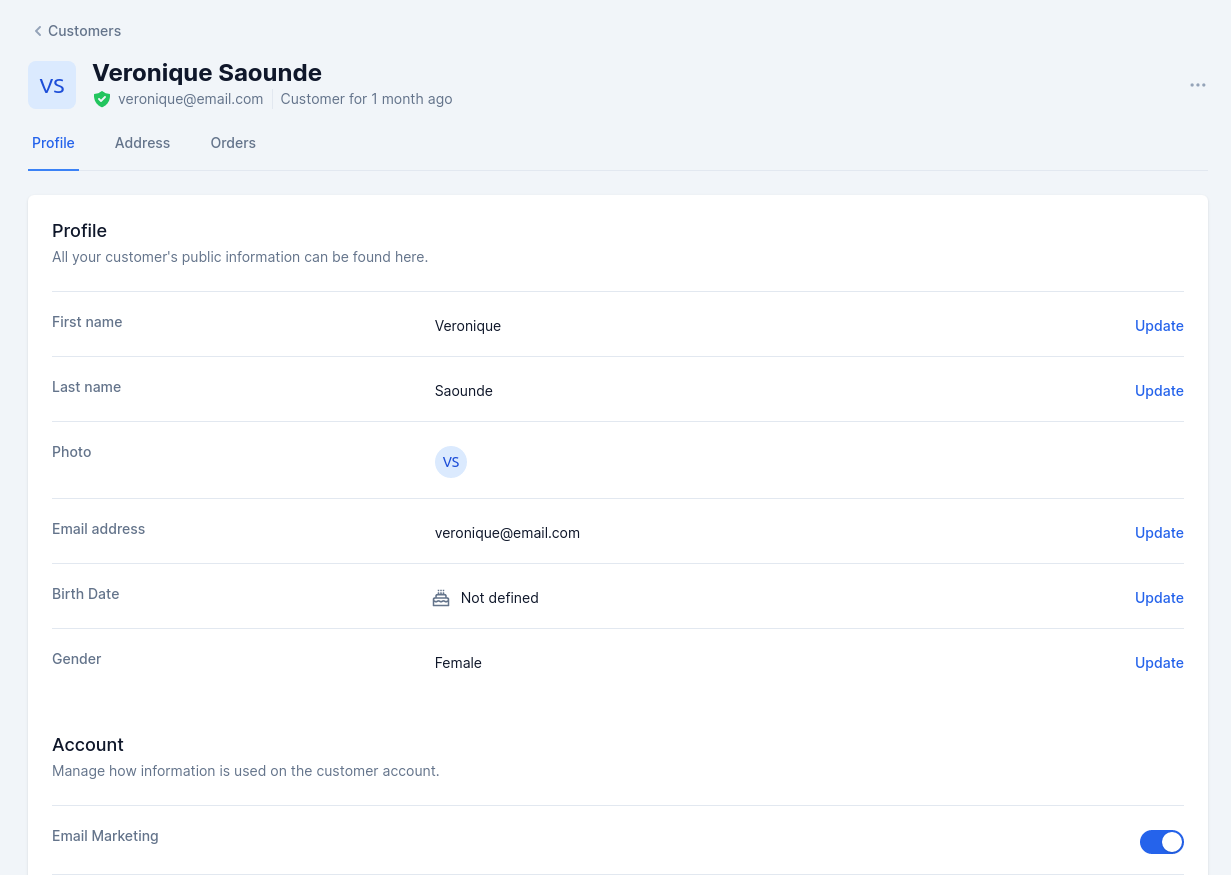
customer informations

Customer informations

And in this page you can modify the information of a customer by clicking on the “update” button on the right of each information. The various sections provide you with some key data on the user:
  • Customer information, first and last name, e-mail address, picture, birth date, gender.
  • Registered Addresses
  • Orders Summary of purchases already made by the customer. Amount spent, payment type, order status. For more information on each order, click on the order number.
Each of its pages are accessible via Livewire components, and are fully customizable to your needs. So don’t hesitate to modify them.
