> ## Documentation Index
> Fetch the complete documentation index at: https://docs.laravelshopper.dev/llms.txt
> Use this file to discover all available pages before exploring further.
# Vue Starter Kit
> A production-ready storefront built with Inertia, Vue 3, shadcn-vue and Tailwind CSS v4.
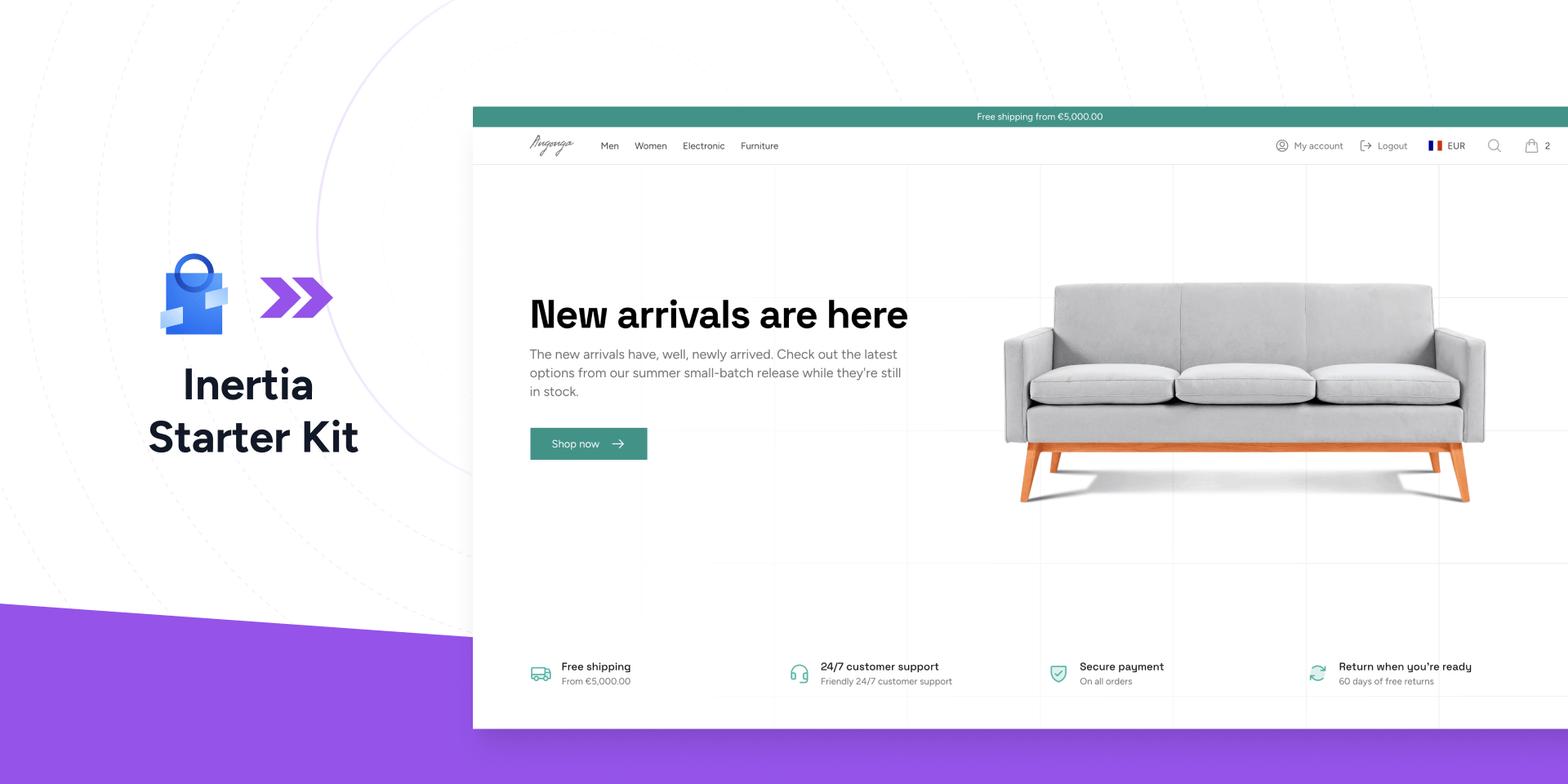
The Vue Starter Kit is a complete storefront for Shopper, built with [Inertia.js](https://inertiajs.com/) and [Vue 3](https://vuejs.org/). It keeps the full power of Laravel on the backend, with no separate API layer to maintain, while delivering a modern single-page application experience on the frontend. The design system uses [shadcn-vue](https://www.shadcn-vue.com/) components and [Tailwind CSS v4](https://tailwindcss.com/), and every route is fully type-safe thanks to [Laravel Wayfinder](https://github.com/laravel/wayfinder) and a PHP-to-TypeScript transformer.
 ## Prerequisites
| Requirement | Version |
| ----------- | ------- |
| PHP | 8.4+ |
| Laravel | 12.0+ |
| Shopper | 2.9+ |
| Node.js | 20+ |
## Installation
The `shopper:kit:install` command is built into Shopper. No additional package is required.
```bash theme={null}
php artisan shopper:kit:install shopperlabs/vue-starter-kit
```
The installer downloads the kit, reads its [manifest](/v2/starter-kits#the-manifest), copies all storefront files into your project, and installs the following dependencies.
| Package | Version | Purpose |
| --------------------------------------- | ------- | -------------------------------------------------- |
| `inertiajs/inertia-laravel` | ^3.0 | Inertia server-side adapter for Laravel |
| `laravel/fortify` | ^1.34 | Authentication backend (login, register, 2FA) |
| `laravel/wayfinder` | ^0.1.14 | Typed route helpers generated from your routes |
| `spatie/laravel-typescript-transformer` | ^3.2 | Generates TypeScript types from PHP DTOs and enums |
| `shopper/stripe` | ^2.9 | Stripe payment integration |
After installing dependencies, the kit runs its post-install commands: database migrations, storage symlink creation, npm install, and the frontend asset build.
Once complete, the kit package is removed from your `composer.json`. The code is yours.
On an existing project, create a new branch before installing so you can review every change.
```bash theme={null}
git checkout -b storefront
php artisan shopper:kit:install shopperlabs/vue-starter-kit
```
## Project Structure
The starter kit publishes files into standard Laravel directories. The backend is shared with the [React Starter Kit](/v2/react-starter-kit); only the `resources/js` frontend differs. Here is the full structure.
```
app/
├── Actions/
│ ├── Cart/
│ │ └── AddToCart.php
│ ├── Checkout/
│ │ ├── BuildShippingPackages.php
│ │ ├── FetchDeliveryRates.php
│ │ ├── FetchPaymentMethods.php
│ │ └── ResolveZoneForCountry.php
│ ├── Fortify/
│ │ ├── CreateNewUser.php
│ │ └── ResetUserPassword.php
│ ├── Product/
│ │ ├── AddProductReviewAction.php
│ │ ├── BuildVariantOptions.php
│ │ └── ResolveVariantAvailability.php
│ ├── CreateOrder.php
│ ├── GetCountriesByZone.php
│ └── ZoneSessionManager.php
├── Concerns/
│ ├── InteractsWithStorefrontMedia.php
│ ├── PasswordValidationRules.php
│ └── ProfileValidationRules.php
├── DTO/
│ ├── AddressData.php
│ ├── CountryByZoneData.php
│ ├── PriceData.php
│ └── ProductReviewsData.php
├── Http/
│ ├── Controllers/
│ │ ├── Account/ # Address and order management
│ │ ├── Settings/ # Profile and security
│ │ ├── Shop/ # Home, products, cart, checkout, zone
│ │ └── StripeWebhookController.php
│ ├── Middleware/
│ │ ├── HandleAppearance.php
│ │ └── HandleInertiaRequests.php
│ └── Requests/Settings/ # Profile and password form requests
├── Models/
│ ├── Category.php
│ ├── Channel.php
│ ├── Collection.php
│ ├── Product.php
│ ├── ProductVariant.php
│ └── User.php
├── Providers/
│ ├── AppServiceProvider.php
│ ├── FortifyServiceProvider.php
│ └── TypeScriptTransformerServiceProvider.php
├── Traits/
│ └── HasProductPricing.php
├── CheckoutSession.php
└── helpers.php
resources/js/
├── components/
│ ├── account/ # Order status badge
│ ├── shop/ # Product cards, price display, zone selector, Stripe form
│ └── ui/ # shadcn-vue primitives (button, dialog, select, ...)
├── composables/ # useCart, useShop, useStripeElements, useAppearance
├── layouts/ # Storefront, account, settings, and auth layouts
├── lib/ # format, stripe, and utility helpers
├── pages/
│ ├── account/ # Orders, order detail, addresses
│ ├── auth/ # Login, register, password reset, 2FA
│ ├── settings/ # Profile, appearance, security
│ └── shop/ # Home, catalog, product, cart, checkout
├── types/ # Shared and generated TypeScript types
└── app.ts # Inertia application entry point
routes/
├── web.php # Storefront, checkout, account routes
└── settings.php # Profile and security routes
tests/
├── Feature/Auth/ # Authentication tests
└── Feature/Settings/ # Profile and security tests
```
## Routing
The starter kit defines all storefront routes in `routes/web.php`. Unlike the Livewire kit, each page is rendered by a dedicated controller that returns an Inertia response. Routes are named so you can reference them through Wayfinder in your Vue components.
### Public Routes
| Route | Controller | Description |
| ------------------------------------ | -------------------------------- | ------------------------------------------------------------ |
| `GET /` | `Shop\HomeController` | Homepage with featured collections, products, and categories |
| `GET /shop` | `Shop\ProductController@index` | Product catalog with search and filtering |
| `GET /shop/{product:slug}` | `Shop\ProductController@show` | Product detail with variant selection |
| `GET /categories` | `Shop\CategoryController@index` | All categories |
| `GET /categories/{category:slug}` | `Shop\CategoryController@show` | Products in a category |
| `GET /collections/{collection:slug}` | `Shop\CollectionController@show` | Products in a collection |
| `GET /search` | `Shop\SearchController` | Full-text search across products |
| `GET /cart` | `Shop\CartController@index` | Shopping cart |
Cart mutations are exposed as their own throttled endpoints: `POST /cart` adds a line, `PATCH /cart/{line}` updates a quantity, `DELETE /cart/{line}` removes a line, and `DELETE /cart` clears the cart. The active pricing zone is changed with `PATCH /zone`.
### Authenticated Routes
These routes require the user to be logged in and have a verified email.
| Route | Controller | Description |
| -------------------------------- | ---------------------------------- | -------------------------------------- |
| `GET /checkout` | `Shop\CheckoutController@index` | Multi-step checkout flow |
| `GET /checkout/payment/{number}` | `Shop\StripePaymentController` | Stripe Payment Element |
| `GET /checkout/success/{order}` | `Shop\CheckoutSuccessController` | Order confirmation |
| `GET /account/orders` | `Account\OrderController@index` | Order history |
| `GET /account/orders/{order}` | `Account\OrderController@show` | Order detail |
| `GET /account/addresses` | `Account\AddressController@index` | Address management |
| `GET /settings/profile` | `Settings\ProfileController@edit` | Profile settings |
| `GET /settings/appearance` | Inertia page | Dark mode / appearance |
| `GET /settings/security` | `Settings\SecurityController@edit` | Password and two-factor authentication |
The checkout flow posts to dedicated endpoints for each step (`checkout/shipping-address`, `checkout/shipping-option`, `checkout/prepare-payment`, `checkout/place-order`). The Stripe webhook endpoint is registered at `/webhooks/stripe` with rate limiting.
## Architecture
The starter kit follows a clear separation of concerns. Business logic lives in Action classes, data structures in DTOs, HTTP handling in controllers, and UI in Vue components. This makes it straightforward to modify any part of the storefront without affecting others.
### Actions
Actions are single-responsibility classes that encapsulate business logic. They are resolved from the container, so you can swap implementations or add dependencies as needed.
```php theme={null}
use App\Actions\Cart\AddToCart;
use App\Actions\Checkout\FetchDeliveryRates;
use App\Actions\CreateOrder;
resolve(AddToCart::class)->handle($product, $selectedVariant);
resolve(FetchDeliveryRates::class)->handle($addressData, $packages);
resolve(CreateOrder::class)->handle();
```
The checkout flow is split into four focused actions.
| Action | Responsibility |
| ----------------------- | ------------------------------------------------------------------- |
| `BuildShippingPackages` | Builds package dimensions from cart items for carrier rate requests |
| `FetchDeliveryRates` | Queries available carriers and returns shipping rate options |
| `FetchPaymentMethods` | Loads payment methods available for the customer's country |
| `ResolveZoneForCountry` | Resolves the pricing zone for a given country with caching |
Order creation is wrapped in `CreateOrder`, which uses `Cache::lock` for idempotency and verifies cart ownership before converting the cart into an order.
### DTOs
Data Transfer Objects provide type-safe structures for data passed between the backend and the Vue frontend. Because the kit uses the TypeScript Transformer, these DTOs also become TypeScript types your components can import.
| DTO | Purpose |
| -------------------- | ------------------------------------------------------------ |
| `AddressData` | Structured address data for forms and checkout |
| `CountryByZoneData` | Zone session data (zone ID, country code, currency code) |
| `PriceData` | Formatted price with amount, currency, and comparison price |
| `ProductReviewsData` | Aggregated review data (average rating, count, distribution) |
### Controllers
Each storefront page is rendered by a controller in `app/Http/Controllers/`. Controllers query Shopper's models, wrap data in DTOs, and return an Inertia response that renders the matching page component.
```php theme={null}
use App\Models\Product;
use Inertia\Inertia;
use Inertia\Response;
public function show(Product $product): Response
{
return Inertia::render('shop/product', [
'product' => $product->load('variants', 'medias'),
]);
}
```
To change what a page receives, edit its controller. To change how it looks, edit the matching page component in `resources/js/pages/`.
### Inertia Shared Data
The `HandleInertiaRequests` middleware shares global data with every page, so your components always have access to the authenticated user and the current shop state without re-fetching it. The `shop` prop carries the cart count, the selected zone, the active currency, available channels and zones, the tax label, and navigation categories.
```php theme={null}
'shop' => fn (): array => [
'cart_count' => $cart?->lines->sum('quantity') ?? 0,
'zone' => $zone,
'currency' => current_currency(),
'tax_label' => current_tax_label(),
// navigation categories, channels, available zones ...
],
```
On the frontend, the `useShop` composable reads this shared data, and `useCart` exposes the cart count and mutation helpers.
### Models
The starter kit publishes model files that extend Shopper's base models. These are configured in `config/shopper/models.php` so that Shopper's internals use your extended versions.
```php theme={null}
// app/Models/Product.php
class Product extends Shopper\Models\Product
{
use App\Concerns\InteractsWithStorefrontMedia;
// Add your own methods, scopes, or relationships here
}
```
You can add custom logic directly to these models. Any method you add is available throughout the storefront and in Shopper's admin panel. The `InteractsWithStorefrontMedia` trait appends `thumbnail` and `images` attributes to every JSON response, so your Vue components receive ready-to-use media URLs.
### CheckoutSession
The `CheckoutSession` class defines constants for session keys used throughout the checkout flow. This provides a single place to reference all checkout-related session data.
```php theme={null}
use App\CheckoutSession;
session()->get(CheckoutSession::KEY); // 'checkout'
session()->get(CheckoutSession::SHIPPING_ADDRESS); // 'checkout.shipping_address'
session()->get(CheckoutSession::BILLING_ADDRESS); // 'checkout.billing_address'
session()->get(CheckoutSession::SHIPPING_OPTION); // 'checkout.shipping_option'
session()->get(CheckoutSession::PAYMENT); // 'checkout.payment'
```
### Helpers
The `app/helpers.php` file defines three global functions used across the storefront.
| Function | Purpose |
| --------------------- | ----------------------------------------------------------------------------------------------- |
| `cartSession()` | Returns the current cart or creates a new one with the active zone, currency, and channel |
| `current_currency()` | Returns the currency code for the selected zone, or the store default from `shopper_currency()` |
| `current_tax_label()` | Returns the tax label ("TTC" or "HT") based on the zone's tax configuration |
### Type Safety
This kit is type-safe end to end. Three tools work together so your Vue components never guess at the shape of backend data.
| Tool | What it provides |
| ---------------------------- | ----------------------------------------------------------------------------------------------------- |
| Wayfinder | Typed route helpers generated from `routes/web.php`, so `shop.product` becomes an importable function |
| TypeScript Transformer | Generates TypeScript definitions from your PHP DTOs and enums into `resources/js/types` |
| `@shopperlabs/shopper-types` | Shared domain types (Address, Cart, Order, Product, and enums) published as an npm package |
The `TypeScriptTransformerServiceProvider` registers the transformer. Run the generation command after changing a DTO to refresh the TypeScript types your components import.
## Checkout Flow
The checkout is a multi-step process handled by `CheckoutController`. Each step posts to its own endpoint and validates its data before proceeding to the next.
**Step 1 - Shipping Address.** The customer enters a new address or selects one of their saved addresses. The address is stored in the session and attached to the cart via `CartManager::addAddress()`.
**Step 2 - Delivery Options.** The `BuildShippingPackages` action builds package data from the cart, then `FetchDeliveryRates` queries configured [carriers](/v2/carriers) for available shipping rates based on the address and packages. The customer selects a delivery option.
**Step 3 - Payment.** `FetchPaymentMethods` loads available [payment methods](/v2/payments) for the customer's country. When the customer places the order, the `CreateOrder` action converts the cart into an order inside a database transaction, adds shipping costs, and initiates payment processing through Shopper's `PaymentProcessingService`.
For Stripe payments, the customer is redirected to a dedicated payment page (`StripePaymentController`) that renders the Stripe Payment Element through the `useStripeElements` composable. The `StripeWebhookController` handles payment confirmation webhooks.
## Zones and Currency
The starter kit uses Shopper's [zone system](/v2/zones) for multi-currency and regional pricing. The `ZoneSelector` component in the footer lets customers pick their country. When a zone is selected, the `ZoneSessionManager` stores a `CountryByZoneData` DTO in the session with the zone ID, country code, and currency code. All prices across the storefront update to reflect the zone's currency through the shared `shop` prop.
If no zone is selected, the storefront falls back to your store's default currency from `shopper_currency()`.
The `current_tax_label()` helper checks the zone's tax configuration to display "TTC" (tax-inclusive) or "HT" (tax-exclusive) labels alongside prices.
To enable zone selection, create at least one active zone in your Shopper admin panel. You can optionally set a default zone using the `SHOPPER_DEFAULT_ZONE` environment variable.
## Customization
Once installed, every file belongs to your project. Here are the most common customization paths.
### Styling
All views use shadcn-vue components and Tailwind CSS v4. Modify colors, spacing, and layouts by editing the components in `resources/js`. UI primitives live in `resources/js/components/ui/`, and the storefront chrome is in `resources/js/layouts/storefront/`.
### Pages
Each page is a Vue single-file component in `resources/js/pages/`. Edit any `.vue` file to change a page's layout or content. To change the data a page receives, edit its controller in `app/Http/Controllers/`.
### Checkout
To modify the checkout flow, edit the action classes in `app/Actions/Checkout/`. Each action handles one concern, so you can change how shipping rates are calculated without touching payment logic.
To add a new payment provider, implement the provider using Shopper's [payment system](/v2/payments) and register it in your admin panel. The checkout will automatically pick it up through `FetchPaymentMethods`.
### Adding Pages
Create a controller, register a named route in `routes/web.php`, and add the matching Vue component under `resources/js/pages/`.
```php theme={null}
use Inertia\Inertia;
use Inertia\Response;
class AboutController extends Controller
{
public function __invoke(): Response
{
return Inertia::render('about');
}
}
```
```php theme={null}
// routes/web.php
Route::get('about', AboutController::class)->name('about');
```
```vue theme={null}
## Prerequisites
| Requirement | Version |
| ----------- | ------- |
| PHP | 8.4+ |
| Laravel | 12.0+ |
| Shopper | 2.9+ |
| Node.js | 20+ |
## Installation
The `shopper:kit:install` command is built into Shopper. No additional package is required.
```bash theme={null}
php artisan shopper:kit:install shopperlabs/vue-starter-kit
```
The installer downloads the kit, reads its [manifest](/v2/starter-kits#the-manifest), copies all storefront files into your project, and installs the following dependencies.
| Package | Version | Purpose |
| --------------------------------------- | ------- | -------------------------------------------------- |
| `inertiajs/inertia-laravel` | ^3.0 | Inertia server-side adapter for Laravel |
| `laravel/fortify` | ^1.34 | Authentication backend (login, register, 2FA) |
| `laravel/wayfinder` | ^0.1.14 | Typed route helpers generated from your routes |
| `spatie/laravel-typescript-transformer` | ^3.2 | Generates TypeScript types from PHP DTOs and enums |
| `shopper/stripe` | ^2.9 | Stripe payment integration |
After installing dependencies, the kit runs its post-install commands: database migrations, storage symlink creation, npm install, and the frontend asset build.
Once complete, the kit package is removed from your `composer.json`. The code is yours.
On an existing project, create a new branch before installing so you can review every change.
```bash theme={null}
git checkout -b storefront
php artisan shopper:kit:install shopperlabs/vue-starter-kit
```
## Project Structure
The starter kit publishes files into standard Laravel directories. The backend is shared with the [React Starter Kit](/v2/react-starter-kit); only the `resources/js` frontend differs. Here is the full structure.
```
app/
├── Actions/
│ ├── Cart/
│ │ └── AddToCart.php
│ ├── Checkout/
│ │ ├── BuildShippingPackages.php
│ │ ├── FetchDeliveryRates.php
│ │ ├── FetchPaymentMethods.php
│ │ └── ResolveZoneForCountry.php
│ ├── Fortify/
│ │ ├── CreateNewUser.php
│ │ └── ResetUserPassword.php
│ ├── Product/
│ │ ├── AddProductReviewAction.php
│ │ ├── BuildVariantOptions.php
│ │ └── ResolveVariantAvailability.php
│ ├── CreateOrder.php
│ ├── GetCountriesByZone.php
│ └── ZoneSessionManager.php
├── Concerns/
│ ├── InteractsWithStorefrontMedia.php
│ ├── PasswordValidationRules.php
│ └── ProfileValidationRules.php
├── DTO/
│ ├── AddressData.php
│ ├── CountryByZoneData.php
│ ├── PriceData.php
│ └── ProductReviewsData.php
├── Http/
│ ├── Controllers/
│ │ ├── Account/ # Address and order management
│ │ ├── Settings/ # Profile and security
│ │ ├── Shop/ # Home, products, cart, checkout, zone
│ │ └── StripeWebhookController.php
│ ├── Middleware/
│ │ ├── HandleAppearance.php
│ │ └── HandleInertiaRequests.php
│ └── Requests/Settings/ # Profile and password form requests
├── Models/
│ ├── Category.php
│ ├── Channel.php
│ ├── Collection.php
│ ├── Product.php
│ ├── ProductVariant.php
│ └── User.php
├── Providers/
│ ├── AppServiceProvider.php
│ ├── FortifyServiceProvider.php
│ └── TypeScriptTransformerServiceProvider.php
├── Traits/
│ └── HasProductPricing.php
├── CheckoutSession.php
└── helpers.php
resources/js/
├── components/
│ ├── account/ # Order status badge
│ ├── shop/ # Product cards, price display, zone selector, Stripe form
│ └── ui/ # shadcn-vue primitives (button, dialog, select, ...)
├── composables/ # useCart, useShop, useStripeElements, useAppearance
├── layouts/ # Storefront, account, settings, and auth layouts
├── lib/ # format, stripe, and utility helpers
├── pages/
│ ├── account/ # Orders, order detail, addresses
│ ├── auth/ # Login, register, password reset, 2FA
│ ├── settings/ # Profile, appearance, security
│ └── shop/ # Home, catalog, product, cart, checkout
├── types/ # Shared and generated TypeScript types
└── app.ts # Inertia application entry point
routes/
├── web.php # Storefront, checkout, account routes
└── settings.php # Profile and security routes
tests/
├── Feature/Auth/ # Authentication tests
└── Feature/Settings/ # Profile and security tests
```
## Routing
The starter kit defines all storefront routes in `routes/web.php`. Unlike the Livewire kit, each page is rendered by a dedicated controller that returns an Inertia response. Routes are named so you can reference them through Wayfinder in your Vue components.
### Public Routes
| Route | Controller | Description |
| ------------------------------------ | -------------------------------- | ------------------------------------------------------------ |
| `GET /` | `Shop\HomeController` | Homepage with featured collections, products, and categories |
| `GET /shop` | `Shop\ProductController@index` | Product catalog with search and filtering |
| `GET /shop/{product:slug}` | `Shop\ProductController@show` | Product detail with variant selection |
| `GET /categories` | `Shop\CategoryController@index` | All categories |
| `GET /categories/{category:slug}` | `Shop\CategoryController@show` | Products in a category |
| `GET /collections/{collection:slug}` | `Shop\CollectionController@show` | Products in a collection |
| `GET /search` | `Shop\SearchController` | Full-text search across products |
| `GET /cart` | `Shop\CartController@index` | Shopping cart |
Cart mutations are exposed as their own throttled endpoints: `POST /cart` adds a line, `PATCH /cart/{line}` updates a quantity, `DELETE /cart/{line}` removes a line, and `DELETE /cart` clears the cart. The active pricing zone is changed with `PATCH /zone`.
### Authenticated Routes
These routes require the user to be logged in and have a verified email.
| Route | Controller | Description |
| -------------------------------- | ---------------------------------- | -------------------------------------- |
| `GET /checkout` | `Shop\CheckoutController@index` | Multi-step checkout flow |
| `GET /checkout/payment/{number}` | `Shop\StripePaymentController` | Stripe Payment Element |
| `GET /checkout/success/{order}` | `Shop\CheckoutSuccessController` | Order confirmation |
| `GET /account/orders` | `Account\OrderController@index` | Order history |
| `GET /account/orders/{order}` | `Account\OrderController@show` | Order detail |
| `GET /account/addresses` | `Account\AddressController@index` | Address management |
| `GET /settings/profile` | `Settings\ProfileController@edit` | Profile settings |
| `GET /settings/appearance` | Inertia page | Dark mode / appearance |
| `GET /settings/security` | `Settings\SecurityController@edit` | Password and two-factor authentication |
The checkout flow posts to dedicated endpoints for each step (`checkout/shipping-address`, `checkout/shipping-option`, `checkout/prepare-payment`, `checkout/place-order`). The Stripe webhook endpoint is registered at `/webhooks/stripe` with rate limiting.
## Architecture
The starter kit follows a clear separation of concerns. Business logic lives in Action classes, data structures in DTOs, HTTP handling in controllers, and UI in Vue components. This makes it straightforward to modify any part of the storefront without affecting others.
### Actions
Actions are single-responsibility classes that encapsulate business logic. They are resolved from the container, so you can swap implementations or add dependencies as needed.
```php theme={null}
use App\Actions\Cart\AddToCart;
use App\Actions\Checkout\FetchDeliveryRates;
use App\Actions\CreateOrder;
resolve(AddToCart::class)->handle($product, $selectedVariant);
resolve(FetchDeliveryRates::class)->handle($addressData, $packages);
resolve(CreateOrder::class)->handle();
```
The checkout flow is split into four focused actions.
| Action | Responsibility |
| ----------------------- | ------------------------------------------------------------------- |
| `BuildShippingPackages` | Builds package dimensions from cart items for carrier rate requests |
| `FetchDeliveryRates` | Queries available carriers and returns shipping rate options |
| `FetchPaymentMethods` | Loads payment methods available for the customer's country |
| `ResolveZoneForCountry` | Resolves the pricing zone for a given country with caching |
Order creation is wrapped in `CreateOrder`, which uses `Cache::lock` for idempotency and verifies cart ownership before converting the cart into an order.
### DTOs
Data Transfer Objects provide type-safe structures for data passed between the backend and the Vue frontend. Because the kit uses the TypeScript Transformer, these DTOs also become TypeScript types your components can import.
| DTO | Purpose |
| -------------------- | ------------------------------------------------------------ |
| `AddressData` | Structured address data for forms and checkout |
| `CountryByZoneData` | Zone session data (zone ID, country code, currency code) |
| `PriceData` | Formatted price with amount, currency, and comparison price |
| `ProductReviewsData` | Aggregated review data (average rating, count, distribution) |
### Controllers
Each storefront page is rendered by a controller in `app/Http/Controllers/`. Controllers query Shopper's models, wrap data in DTOs, and return an Inertia response that renders the matching page component.
```php theme={null}
use App\Models\Product;
use Inertia\Inertia;
use Inertia\Response;
public function show(Product $product): Response
{
return Inertia::render('shop/product', [
'product' => $product->load('variants', 'medias'),
]);
}
```
To change what a page receives, edit its controller. To change how it looks, edit the matching page component in `resources/js/pages/`.
### Inertia Shared Data
The `HandleInertiaRequests` middleware shares global data with every page, so your components always have access to the authenticated user and the current shop state without re-fetching it. The `shop` prop carries the cart count, the selected zone, the active currency, available channels and zones, the tax label, and navigation categories.
```php theme={null}
'shop' => fn (): array => [
'cart_count' => $cart?->lines->sum('quantity') ?? 0,
'zone' => $zone,
'currency' => current_currency(),
'tax_label' => current_tax_label(),
// navigation categories, channels, available zones ...
],
```
On the frontend, the `useShop` composable reads this shared data, and `useCart` exposes the cart count and mutation helpers.
### Models
The starter kit publishes model files that extend Shopper's base models. These are configured in `config/shopper/models.php` so that Shopper's internals use your extended versions.
```php theme={null}
// app/Models/Product.php
class Product extends Shopper\Models\Product
{
use App\Concerns\InteractsWithStorefrontMedia;
// Add your own methods, scopes, or relationships here
}
```
You can add custom logic directly to these models. Any method you add is available throughout the storefront and in Shopper's admin panel. The `InteractsWithStorefrontMedia` trait appends `thumbnail` and `images` attributes to every JSON response, so your Vue components receive ready-to-use media URLs.
### CheckoutSession
The `CheckoutSession` class defines constants for session keys used throughout the checkout flow. This provides a single place to reference all checkout-related session data.
```php theme={null}
use App\CheckoutSession;
session()->get(CheckoutSession::KEY); // 'checkout'
session()->get(CheckoutSession::SHIPPING_ADDRESS); // 'checkout.shipping_address'
session()->get(CheckoutSession::BILLING_ADDRESS); // 'checkout.billing_address'
session()->get(CheckoutSession::SHIPPING_OPTION); // 'checkout.shipping_option'
session()->get(CheckoutSession::PAYMENT); // 'checkout.payment'
```
### Helpers
The `app/helpers.php` file defines three global functions used across the storefront.
| Function | Purpose |
| --------------------- | ----------------------------------------------------------------------------------------------- |
| `cartSession()` | Returns the current cart or creates a new one with the active zone, currency, and channel |
| `current_currency()` | Returns the currency code for the selected zone, or the store default from `shopper_currency()` |
| `current_tax_label()` | Returns the tax label ("TTC" or "HT") based on the zone's tax configuration |
### Type Safety
This kit is type-safe end to end. Three tools work together so your Vue components never guess at the shape of backend data.
| Tool | What it provides |
| ---------------------------- | ----------------------------------------------------------------------------------------------------- |
| Wayfinder | Typed route helpers generated from `routes/web.php`, so `shop.product` becomes an importable function |
| TypeScript Transformer | Generates TypeScript definitions from your PHP DTOs and enums into `resources/js/types` |
| `@shopperlabs/shopper-types` | Shared domain types (Address, Cart, Order, Product, and enums) published as an npm package |
The `TypeScriptTransformerServiceProvider` registers the transformer. Run the generation command after changing a DTO to refresh the TypeScript types your components import.
## Checkout Flow
The checkout is a multi-step process handled by `CheckoutController`. Each step posts to its own endpoint and validates its data before proceeding to the next.
**Step 1 - Shipping Address.** The customer enters a new address or selects one of their saved addresses. The address is stored in the session and attached to the cart via `CartManager::addAddress()`.
**Step 2 - Delivery Options.** The `BuildShippingPackages` action builds package data from the cart, then `FetchDeliveryRates` queries configured [carriers](/v2/carriers) for available shipping rates based on the address and packages. The customer selects a delivery option.
**Step 3 - Payment.** `FetchPaymentMethods` loads available [payment methods](/v2/payments) for the customer's country. When the customer places the order, the `CreateOrder` action converts the cart into an order inside a database transaction, adds shipping costs, and initiates payment processing through Shopper's `PaymentProcessingService`.
For Stripe payments, the customer is redirected to a dedicated payment page (`StripePaymentController`) that renders the Stripe Payment Element through the `useStripeElements` composable. The `StripeWebhookController` handles payment confirmation webhooks.
## Zones and Currency
The starter kit uses Shopper's [zone system](/v2/zones) for multi-currency and regional pricing. The `ZoneSelector` component in the footer lets customers pick their country. When a zone is selected, the `ZoneSessionManager` stores a `CountryByZoneData` DTO in the session with the zone ID, country code, and currency code. All prices across the storefront update to reflect the zone's currency through the shared `shop` prop.
If no zone is selected, the storefront falls back to your store's default currency from `shopper_currency()`.
The `current_tax_label()` helper checks the zone's tax configuration to display "TTC" (tax-inclusive) or "HT" (tax-exclusive) labels alongside prices.
To enable zone selection, create at least one active zone in your Shopper admin panel. You can optionally set a default zone using the `SHOPPER_DEFAULT_ZONE` environment variable.
## Customization
Once installed, every file belongs to your project. Here are the most common customization paths.
### Styling
All views use shadcn-vue components and Tailwind CSS v4. Modify colors, spacing, and layouts by editing the components in `resources/js`. UI primitives live in `resources/js/components/ui/`, and the storefront chrome is in `resources/js/layouts/storefront/`.
### Pages
Each page is a Vue single-file component in `resources/js/pages/`. Edit any `.vue` file to change a page's layout or content. To change the data a page receives, edit its controller in `app/Http/Controllers/`.
### Checkout
To modify the checkout flow, edit the action classes in `app/Actions/Checkout/`. Each action handles one concern, so you can change how shipping rates are calculated without touching payment logic.
To add a new payment provider, implement the provider using Shopper's [payment system](/v2/payments) and register it in your admin panel. The checkout will automatically pick it up through `FetchPaymentMethods`.
### Adding Pages
Create a controller, register a named route in `routes/web.php`, and add the matching Vue component under `resources/js/pages/`.
```php theme={null}
use Inertia\Inertia;
use Inertia\Response;
class AboutController extends Controller
{
public function __invoke(): Response
{
return Inertia::render('about');
}
}
```
```php theme={null}
// routes/web.php
Route::get('about', AboutController::class)->name('about');
```
```vue theme={null}
About Us
```
### Models
Add methods, scopes, or relationships directly to the model files in `app/Models/`. These models extend Shopper's base models, so all existing functionality is preserved.
```php theme={null}
use Illuminate\Database\Eloquent\Builder;
class Product extends Shopper\Models\Product
{
public function scopeFeatured(Builder $query): Builder
{
return $query->where('is_featured', true);
}
}
```