> ## Documentation Index
> Fetch the complete documentation index at: https://docs.laravelshopper.dev/llms.txt
> Use this file to discover all available pages before exploring further.
# Managing Reviews
> Moderate and manage customer product reviews.
Customer reviews build trust and help other shoppers make purchasing decisions. Shopper allows you to manage and moderate reviews on your products.
## Overview
The Reviews section allows you to:
* View all product reviews
* Approve or reject reviews
* Respond to customer feedback
* Monitor review ratings
## Accessing Reviews
Click on **Reviews** in the sidebar to access review management.
## Review List
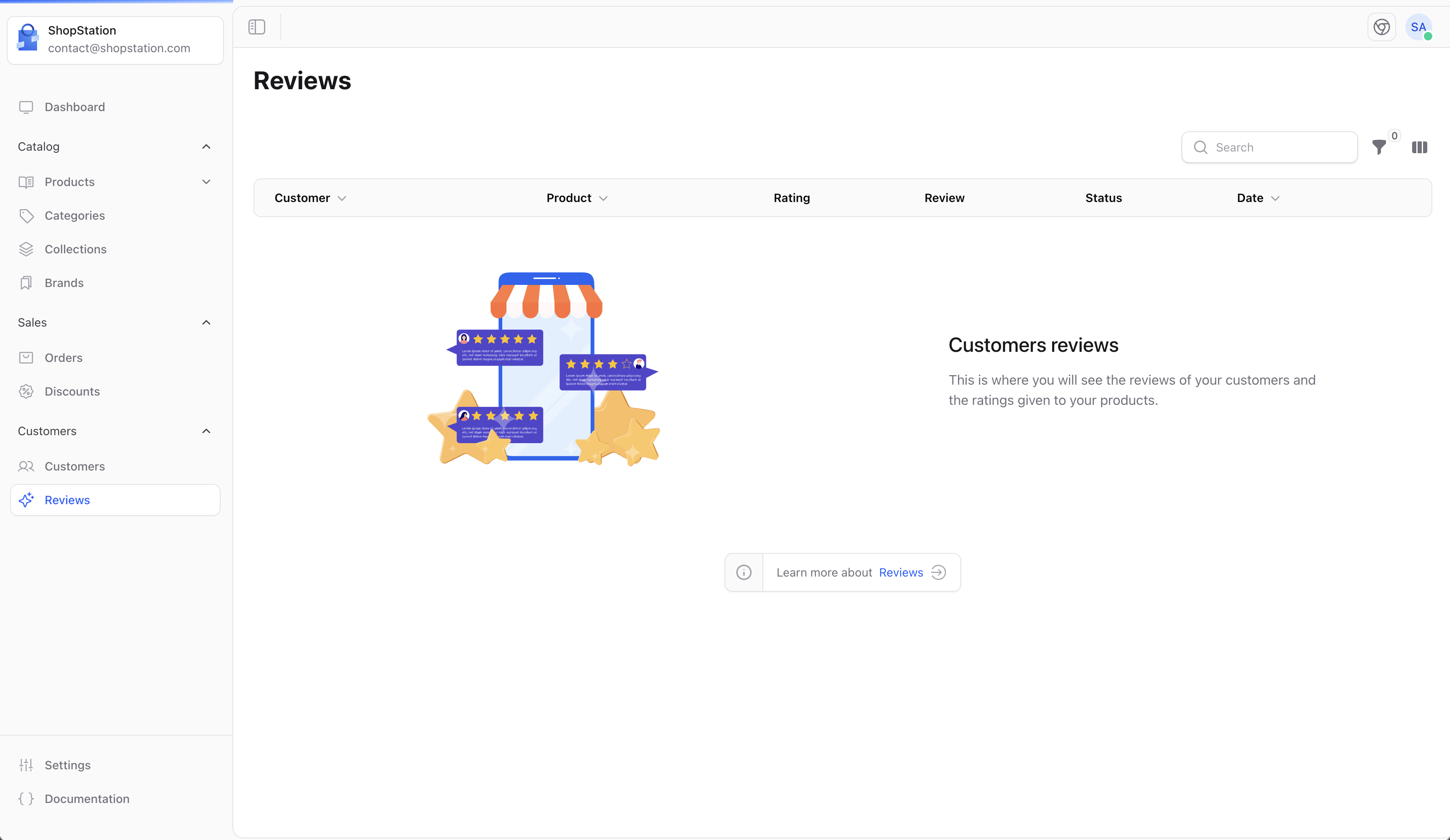
The review list displays all reviews submitted by customers:
| Column | Description |
| ------------ | ----------------------------- |
| **Product** | The reviewed product |
| **Customer** | Who wrote the review |
| **Rating** | Star rating (1-5) |
| **Status** | Approved, pending, rejected |
| **Date** | When the review was submitted |
### Empty State
If you don't have any reviews yet:
 ## Review Moderation
### Review Workflow
1. **Customer submits review** - After purchasing a product
2. **Review enters queue** - Pending moderation (if enabled)
3. **Admin reviews** - Approve, edit, or reject
4. **Published** - Approved reviews appear on product pages
### Moderation Actions
| Action | Effect |
| ----------- | ----------------------------------------- |
| **Approve** | Review is published on the product page |
| **Reject** | Review is hidden and not displayed |
| **Edit** | Modify the review content (use sparingly) |
| **Delete** | Permanently remove the review |
## Review Details
Each review contains:
* **Rating** - Star rating from 1 to 5
* **Title** - Review headline
* **Content** - Full review text
* **Author** - Customer name or anonymous
* **Date** - Submission date
* **Verified purchase** - If the customer bought the product
## Responding to Reviews
You can respond to reviews to:
* Thank customers for positive feedback
* Address concerns in negative reviews
* Provide additional product information
* Show that you value customer input
### Response Best Practices
Always maintain a professional tone, even for negative reviews.
Quick responses show you care about customer feedback.
Offer solutions for any issues mentioned in reviews.
Appreciate customers who take time to review.
## Review Guidelines
Consider establishing review guidelines for your store:
### What to Approve
* Honest product feedback (positive or negative)
* Helpful information for other shoppers
* Verified purchase reviews
### What to Reject
* Spam or promotional content
* Offensive language or personal attacks
* Reviews for wrong products
* Fake or misleading reviews
* Reviews containing personal information
## Impact of Reviews
Reviews affect your business in several ways:
| Impact | Description |
| -------------- | ------------------------------------ |
| **Trust** | Positive reviews build credibility |
| **SEO** | Review content helps search rankings |
| **Conversion** | Products with reviews convert better |
| **Feedback** | Learn what customers like/dislike |
## Best Practices
Encourage reviews by sending follow-up emails after purchase, making the review process easy, and showing appreciation for customer feedback.
* **Enable review reminders** - Automated emails asking for reviews
* **Moderate consistently** - Apply the same standards to all reviews
* **Learn from feedback** - Use negative reviews to improve products
* **Showcase reviews** - Display reviews prominently on product pages
* **Respond to all reviews** - Especially negative ones, to show you care
For developer details, see the [Reviews documentation](/v2/reviews).
## Review Moderation
### Review Workflow
1. **Customer submits review** - After purchasing a product
2. **Review enters queue** - Pending moderation (if enabled)
3. **Admin reviews** - Approve, edit, or reject
4. **Published** - Approved reviews appear on product pages
### Moderation Actions
| Action | Effect |
| ----------- | ----------------------------------------- |
| **Approve** | Review is published on the product page |
| **Reject** | Review is hidden and not displayed |
| **Edit** | Modify the review content (use sparingly) |
| **Delete** | Permanently remove the review |
## Review Details
Each review contains:
* **Rating** - Star rating from 1 to 5
* **Title** - Review headline
* **Content** - Full review text
* **Author** - Customer name or anonymous
* **Date** - Submission date
* **Verified purchase** - If the customer bought the product
## Responding to Reviews
You can respond to reviews to:
* Thank customers for positive feedback
* Address concerns in negative reviews
* Provide additional product information
* Show that you value customer input
### Response Best Practices
Always maintain a professional tone, even for negative reviews.
Quick responses show you care about customer feedback.
Offer solutions for any issues mentioned in reviews.
Appreciate customers who take time to review.
## Review Guidelines
Consider establishing review guidelines for your store:
### What to Approve
* Honest product feedback (positive or negative)
* Helpful information for other shoppers
* Verified purchase reviews
### What to Reject
* Spam or promotional content
* Offensive language or personal attacks
* Reviews for wrong products
* Fake or misleading reviews
* Reviews containing personal information
## Impact of Reviews
Reviews affect your business in several ways:
| Impact | Description |
| -------------- | ------------------------------------ |
| **Trust** | Positive reviews build credibility |
| **SEO** | Review content helps search rankings |
| **Conversion** | Products with reviews convert better |
| **Feedback** | Learn what customers like/dislike |
## Best Practices
Encourage reviews by sending follow-up emails after purchase, making the review process easy, and showing appreciation for customer feedback.
* **Enable review reminders** - Automated emails asking for reviews
* **Moderate consistently** - Apply the same standards to all reviews
* **Learn from feedback** - Use negative reviews to improve products
* **Showcase reviews** - Display reviews prominently on product pages
* **Respond to all reviews** - Especially negative ones, to show you care
For developer details, see the [Reviews documentation](/v2/reviews).