> ## Documentation Index
> Fetch the complete documentation index at: https://docs.laravelshopper.dev/llms.txt
> Use this file to discover all available pages before exploring further.
# Managing Discounts
> Create and manage discount codes and promotional offers.
Discounts are a powerful way to attract customers, boost sales, and reward loyalty. Shopper provides flexible discount options for your marketing campaigns.
## Overview
The Discounts section allows you to:
* Create discount codes
* Set up automatic discounts
* Define discount rules and conditions
* Track discount usage
* Schedule promotional periods
## Accessing Discounts
Click on **Discounts** in the sidebar to access discount management.
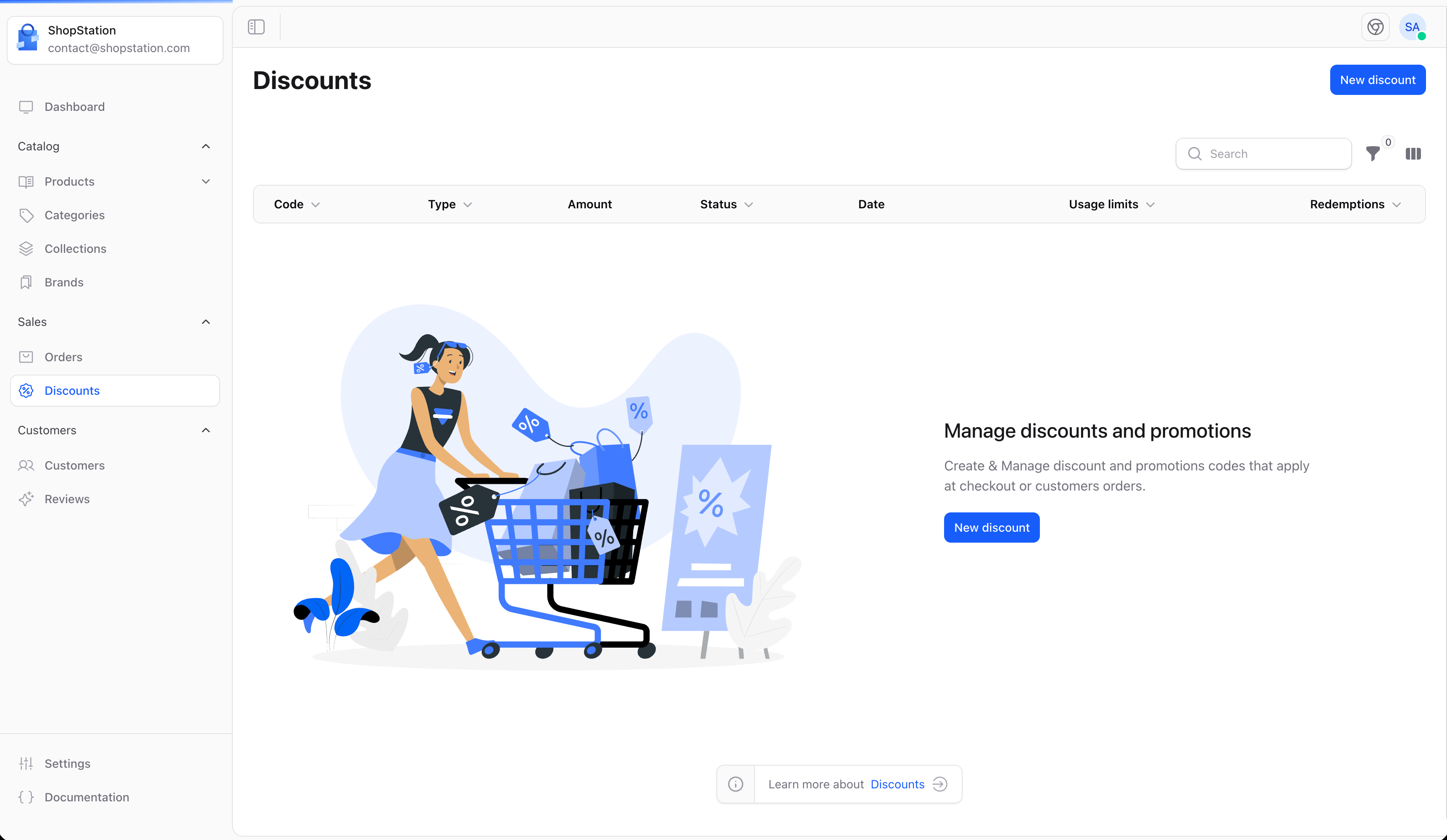
### Empty State
If you haven't created any discounts yet:
 ## Creating a Discount
To create a new discount:
1. Click the **Create** button
2. Configure the discount settings
3. Set conditions and limits
4. Click **Save**
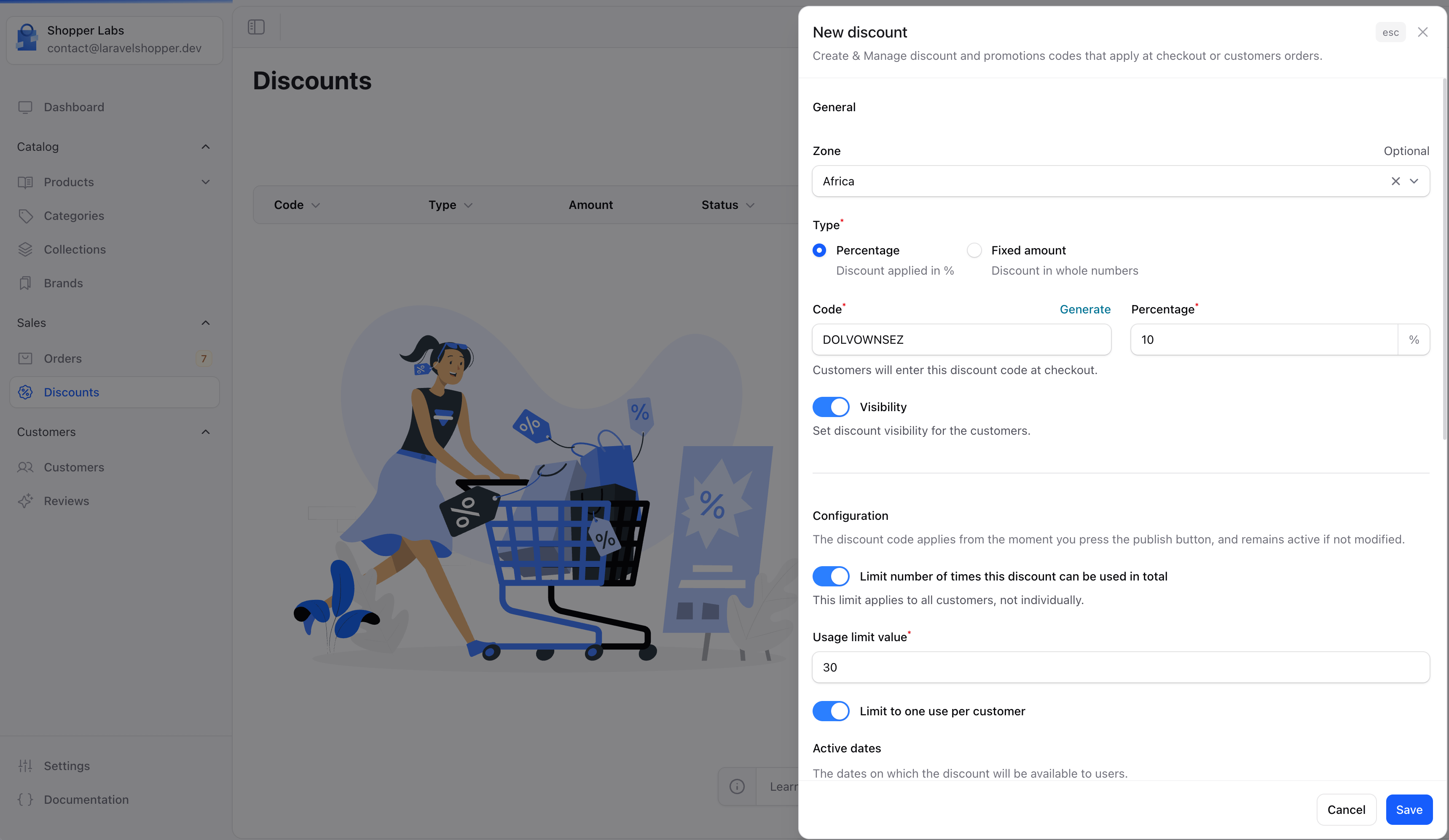
## Creating a Discount
To create a new discount:
1. Click the **Create** button
2. Configure the discount settings
3. Set conditions and limits
4. Click **Save**
 ### Discount Types
| Type | Description | Example |
| ----------------- | ------------------------ | ------------- |
| **Percentage** | Discount as a percentage | 20% off |
| **Fixed amount** | Specific amount off | \$10 off |
| **Free shipping** | Removes shipping cost | Free delivery |
### Discount Configuration
| Field | Description |
| -------------- | ----------------------------------------------- |
| **Code** | The code customers enter (e.g., SUMMER20) |
| **Type** | Percentage, fixed amount, or free shipping |
| **Value** | The discount amount or percentage |
| **Applies to** | Entire order, specific products, or collections |
## Discount Conditions
Set rules for when the discount can be used:
### Minimum Requirements
| Condition | Example |
| -------------------- | ------------------------------- |
| **Minimum purchase** | Order must be at least \$50 |
| **Minimum quantity** | Cart must have at least 3 items |
### Customer Eligibility
| Option | Description |
| ---------------------- | --------------------------- |
| **All customers** | Anyone can use the discount |
| **Specific customers** | Only selected customers |
| **Customer groups** | Based on customer segments |
### Product Restrictions
| Option | Description |
| ------------------------ | ------------------------------- |
| **All products** | Applies to everything |
| **Specific products** | Only selected products |
| **Specific collections** | Products in certain collections |
| **Specific brands** | Products from certain brands |
## Usage Limits
Control how the discount can be used:
| Limit | Description |
| --------------------- | -------------------------------------- |
| **Total uses** | Maximum times the discount can be used |
| **Uses per customer** | Limit per individual customer |
| **One per order** | Can't combine with other discounts |
## Scheduling Discounts
Set active periods for your discounts:
* **Start date** - When the discount becomes active
* **End date** - When the discount expires
* **No end date** - Discount runs indefinitely
## Discount Strategies
Offer first-time customers a discount on their initial purchase.
Create time-limited discounts for holidays and seasons.
Send abandoned cart emails with exclusive discount codes.
Reward repeat customers with special discounts.
## Best Practices
Use unique, memorable discount codes that are easy to type. Avoid confusing characters like 0/O or 1/l/I.
* **Clear naming** - Make codes descriptive (SUMMER2024, FREESHIP)
* **Set limits** - Protect margins with usage limits
* **Track performance** - Monitor which discounts drive sales
* **Create urgency** - Use end dates to encourage quick action
* **Test first** - Always test discounts before promoting them
## Common Discount Examples
| Campaign | Code | Type | Value |
| ------------- | --------- | ------------- | ---------------------- |
| Welcome offer | WELCOME10 | Percentage | 10% off first order |
| Free shipping | FREESHIP | Free shipping | Orders over \$50 |
| Flash sale | FLASH25 | Percentage | 25% off, 24 hours only |
| Holiday | HOLIDAY15 | Percentage | 15% off storewide |
For developer details, see the [Discounts documentation](/v2/discounts).
### Discount Types
| Type | Description | Example |
| ----------------- | ------------------------ | ------------- |
| **Percentage** | Discount as a percentage | 20% off |
| **Fixed amount** | Specific amount off | \$10 off |
| **Free shipping** | Removes shipping cost | Free delivery |
### Discount Configuration
| Field | Description |
| -------------- | ----------------------------------------------- |
| **Code** | The code customers enter (e.g., SUMMER20) |
| **Type** | Percentage, fixed amount, or free shipping |
| **Value** | The discount amount or percentage |
| **Applies to** | Entire order, specific products, or collections |
## Discount Conditions
Set rules for when the discount can be used:
### Minimum Requirements
| Condition | Example |
| -------------------- | ------------------------------- |
| **Minimum purchase** | Order must be at least \$50 |
| **Minimum quantity** | Cart must have at least 3 items |
### Customer Eligibility
| Option | Description |
| ---------------------- | --------------------------- |
| **All customers** | Anyone can use the discount |
| **Specific customers** | Only selected customers |
| **Customer groups** | Based on customer segments |
### Product Restrictions
| Option | Description |
| ------------------------ | ------------------------------- |
| **All products** | Applies to everything |
| **Specific products** | Only selected products |
| **Specific collections** | Products in certain collections |
| **Specific brands** | Products from certain brands |
## Usage Limits
Control how the discount can be used:
| Limit | Description |
| --------------------- | -------------------------------------- |
| **Total uses** | Maximum times the discount can be used |
| **Uses per customer** | Limit per individual customer |
| **One per order** | Can't combine with other discounts |
## Scheduling Discounts
Set active periods for your discounts:
* **Start date** - When the discount becomes active
* **End date** - When the discount expires
* **No end date** - Discount runs indefinitely
## Discount Strategies
Offer first-time customers a discount on their initial purchase.
Create time-limited discounts for holidays and seasons.
Send abandoned cart emails with exclusive discount codes.
Reward repeat customers with special discounts.
## Best Practices
Use unique, memorable discount codes that are easy to type. Avoid confusing characters like 0/O or 1/l/I.
* **Clear naming** - Make codes descriptive (SUMMER2024, FREESHIP)
* **Set limits** - Protect margins with usage limits
* **Track performance** - Monitor which discounts drive sales
* **Create urgency** - Use end dates to encourage quick action
* **Test first** - Always test discounts before promoting them
## Common Discount Examples
| Campaign | Code | Type | Value |
| ------------- | --------- | ------------- | ---------------------- |
| Welcome offer | WELCOME10 | Percentage | 10% off first order |
| Free shipping | FREESHIP | Free shipping | Orders over \$50 |
| Flash sale | FLASH25 | Percentage | 25% off, 24 hours only |
| Holiday | HOLIDAY15 | Percentage | 15% off storewide |
For developer details, see the [Discounts documentation](/v2/discounts).