> ## Documentation Index
> Fetch the complete documentation index at: https://docs.laravelshopper.dev/llms.txt
> Use this file to discover all available pages before exploring further.
# Introduction
> Welcome to Shopper, your e-commerce administration panel for managing products, orders, customers, and more.
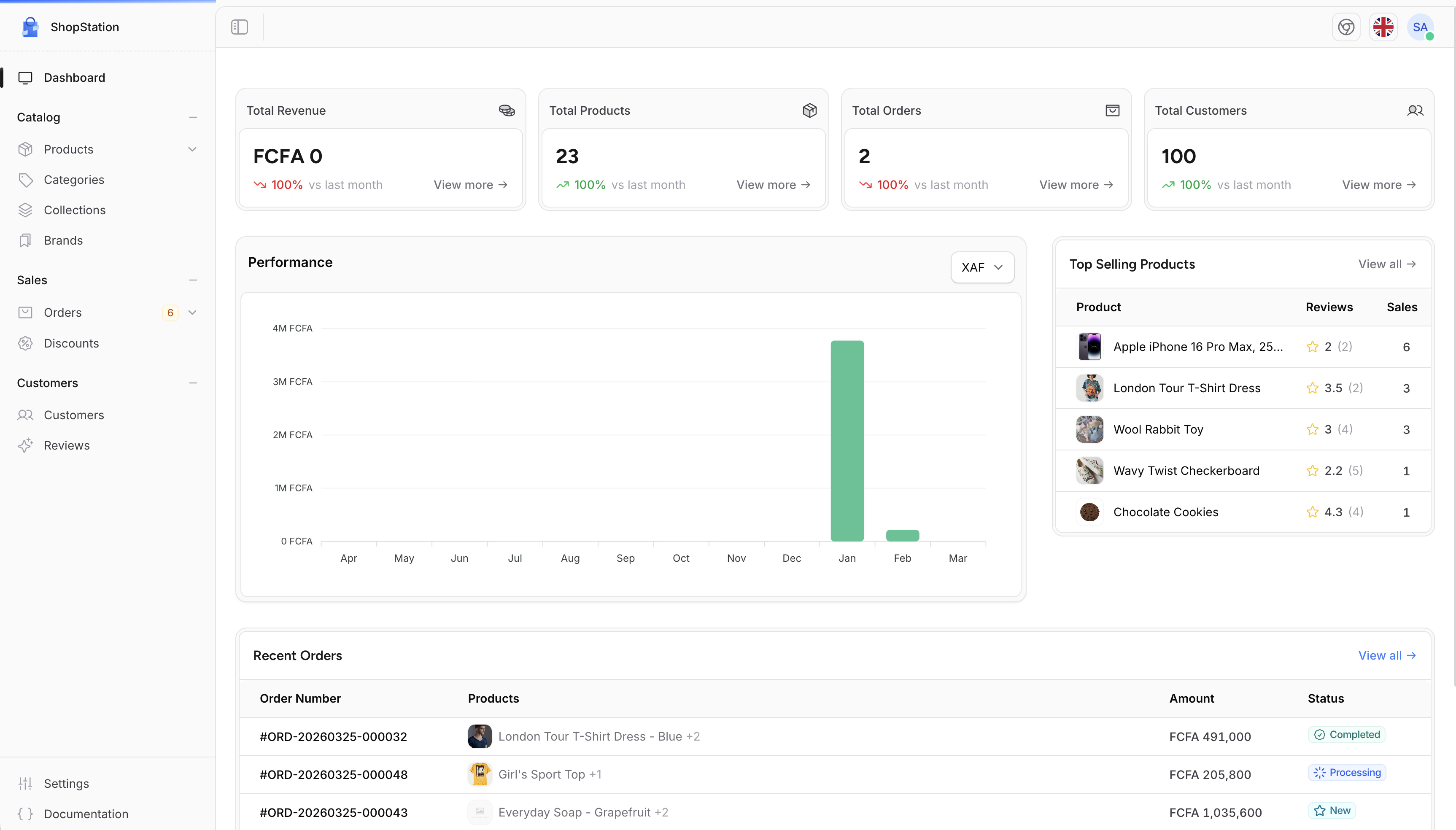
Shopper gives you a complete administration panel to manage your online store. From this panel, you can create products, process orders, manage customers, set up discounts, and configure every aspect of your store without writing any code.
 ## What You Can Do
Create and manage products with variants, images, pricing, and inventory. Organize them into categories, collections, and brands.
Track customer orders from placement to delivery. Manage payments, shipping, and fulfillment from a single screen.
View customer profiles, order history, and addresses. Keep track of who is buying what.
Create discount codes with conditions, usage limits, and expiration dates to drive sales.
Configure your store name, currencies, locations, legal pages, and more.
Add staff members, assign roles, and control who can access what in the admin panel.
## Who Is This Guide For?
This User Guide is designed for **store administrators and managers** who use Shopper daily to manage their e-commerce operations. No technical knowledge is required. Every feature is explained with step-by-step instructions.
Looking for developer documentation? The [Documentation](/v2/getting-started) tab covers installation, configuration, model references, and customization options.
## Getting Help
If you need assistance while using Shopper:
* Join the [Discord community](https://discord.gg/CC444Gy7) to connect with other users and the Shopper team
* Check the [GitHub repository](https://github.com/shopperlabs/shopper) for updates and known issues
## Next Steps
Ready to get started? Learn how to [log in to your administration panel](/v2/user-guide/getting-started/login).
## What You Can Do
Create and manage products with variants, images, pricing, and inventory. Organize them into categories, collections, and brands.
Track customer orders from placement to delivery. Manage payments, shipping, and fulfillment from a single screen.
View customer profiles, order history, and addresses. Keep track of who is buying what.
Create discount codes with conditions, usage limits, and expiration dates to drive sales.
Configure your store name, currencies, locations, legal pages, and more.
Add staff members, assign roles, and control who can access what in the admin panel.
## Who Is This Guide For?
This User Guide is designed for **store administrators and managers** who use Shopper daily to manage their e-commerce operations. No technical knowledge is required. Every feature is explained with step-by-step instructions.
Looking for developer documentation? The [Documentation](/v2/getting-started) tab covers installation, configuration, model references, and customization options.
## Getting Help
If you need assistance while using Shopper:
* Join the [Discord community](https://discord.gg/CC444Gy7) to connect with other users and the Shopper team
* Check the [GitHub repository](https://github.com/shopperlabs/shopper) for updates and known issues
## Next Steps
Ready to get started? Learn how to [log in to your administration panel](/v2/user-guide/getting-started/login).