> ## Documentation Index
> Fetch the complete documentation index at: https://docs.laravelshopper.dev/llms.txt
> Use this file to discover all available pages before exploring further.
# Managing Collections
> Create curated product collections to highlight specific products.
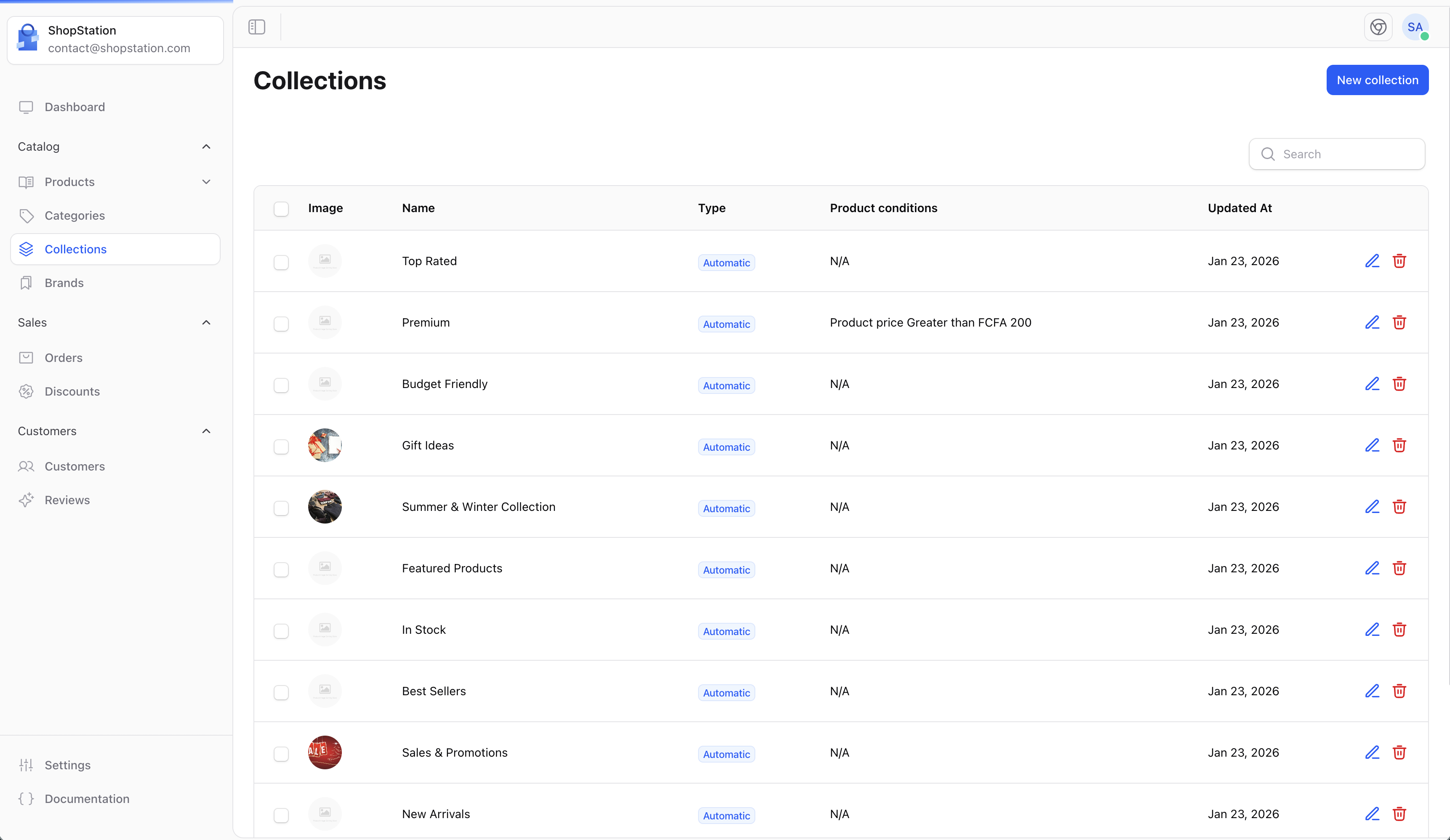
Collections allow you to group products together for marketing and merchandising purposes. Unlike categories, collections are flexible groupings that can include products from different categories.
## Overview
Collections are useful for:
* **Seasonal promotions** - "Summer Collection", "Holiday Gifts"
* **Marketing campaigns** - "Best Sellers", "New Arrivals"
* **Thematic groupings** - "Eco-Friendly Products", "Made in France"
## Accessing Collections
Click on **Collections** in the sidebar to access collection management.
 ## Creating a Collection
To create a new collection:
1. Click the **Create** button
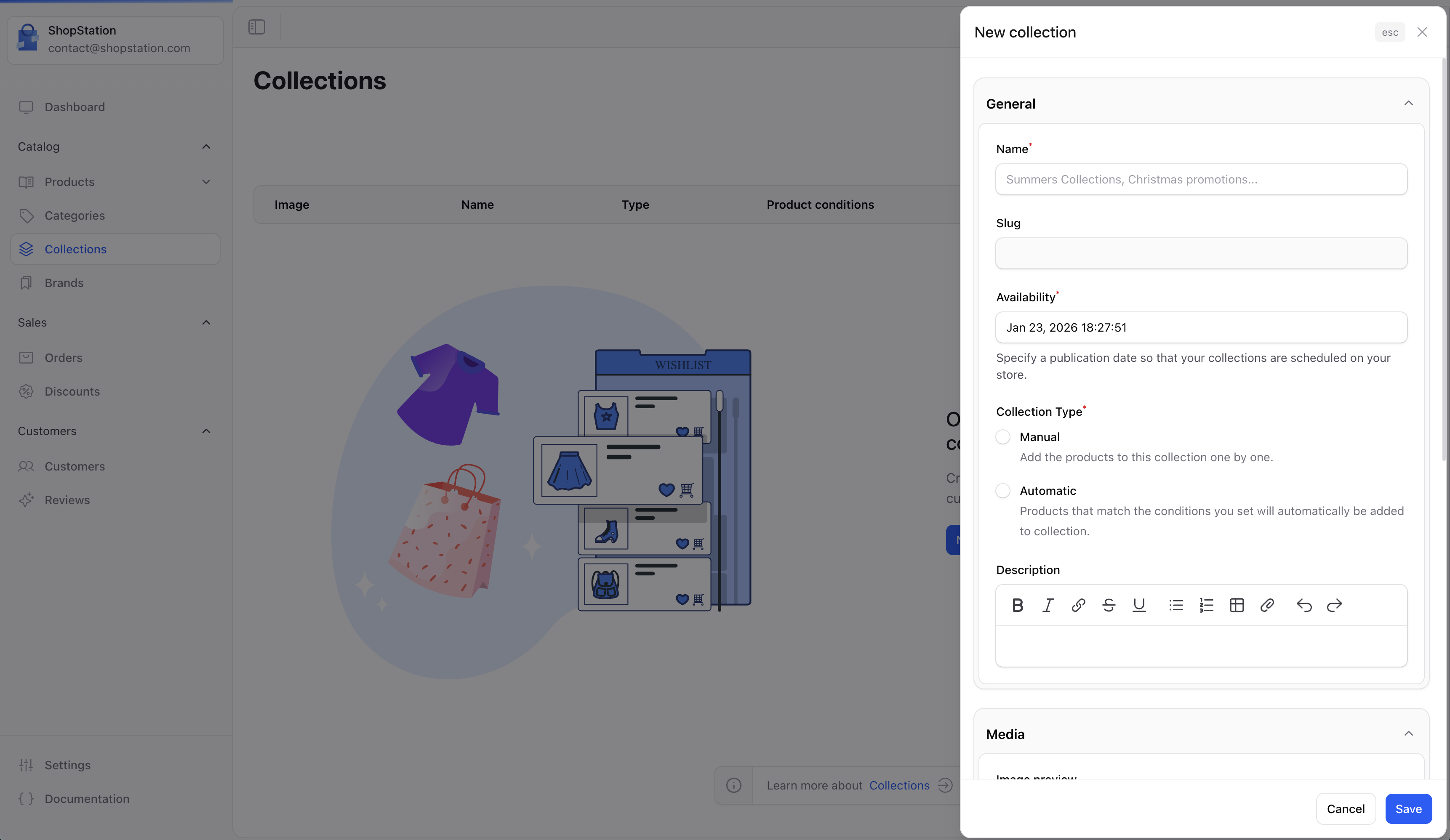
2. Fill in the collection details
3. Add products to the collection
4. Click **Save**
## Creating a Collection
To create a new collection:
1. Click the **Create** button
2. Fill in the collection details
3. Add products to the collection
4. Click **Save**
 ### Collection Fields
| Field | Required | Description |
| --------------- | -------- | ---------------------------------------- |
| **Name** | Yes | The collection name |
| **Description** | No | Describe what this collection represents |
| **Image** | No | A cover image for the collection |
| **Type** | Yes | Manual or Automatic (rule-based) |
| **Published** | No | Toggle to publish the collection |
## Collection Types
### Manual Collections
Manually select which products belong to the collection:
* Full control over which products are included
* Products stay in the collection until you remove them
* Best for curated selections
### Automatic Collections
Use rules to automatically include products:
### Collection Fields
| Field | Required | Description |
| --------------- | -------- | ---------------------------------------- |
| **Name** | Yes | The collection name |
| **Description** | No | Describe what this collection represents |
| **Image** | No | A cover image for the collection |
| **Type** | Yes | Manual or Automatic (rule-based) |
| **Published** | No | Toggle to publish the collection |
## Collection Types
### Manual Collections
Manually select which products belong to the collection:
* Full control over which products are included
* Products stay in the collection until you remove them
* Best for curated selections
### Automatic Collections
Use rules to automatically include products:
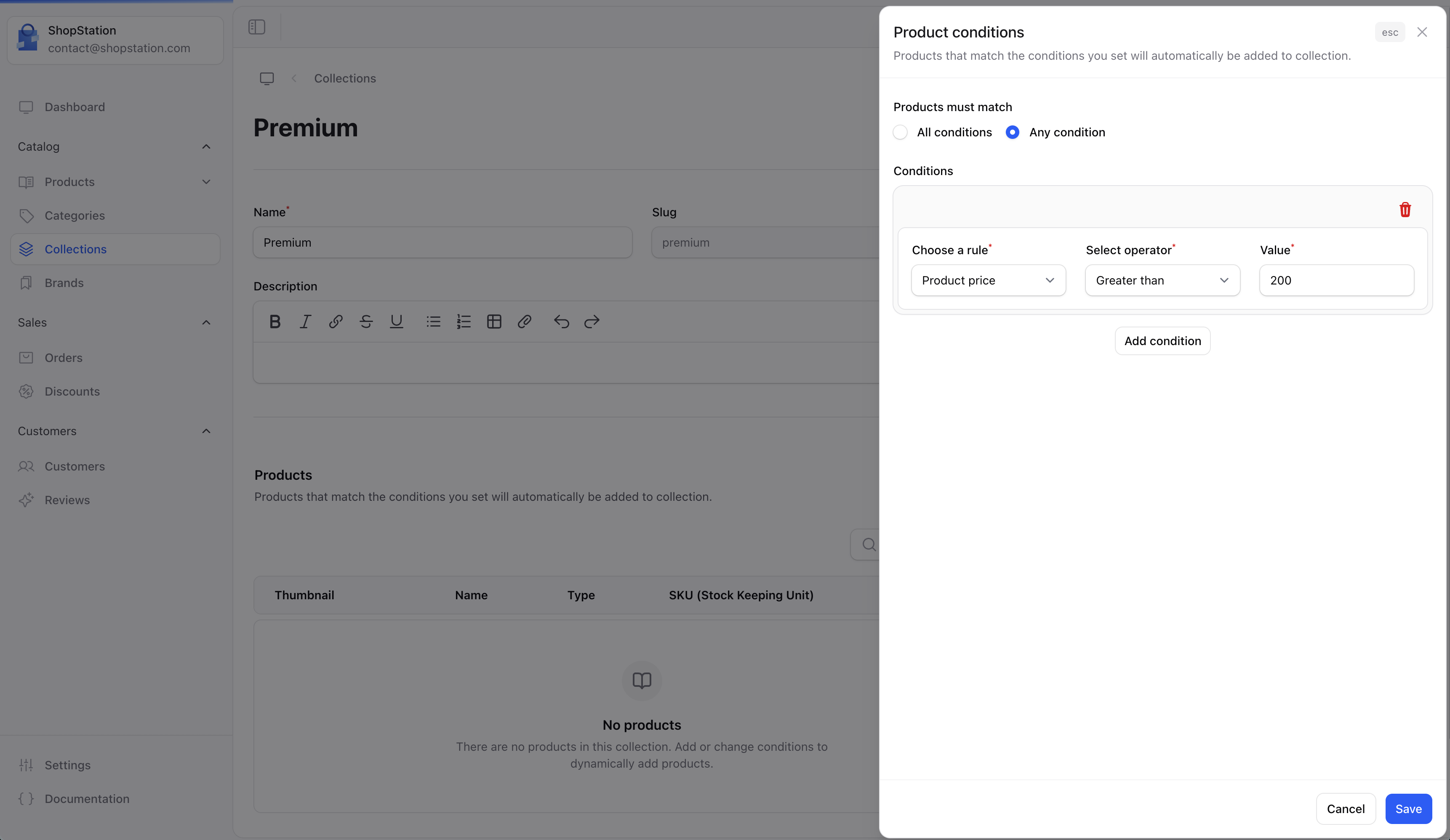 Available rule conditions include:
| Condition | Example |
| ----------------- | ------------------ |
| **Product title** | Contains "organic" |
| **Product type** | Equals "T-Shirt" |
| **Price** | Greater than \$50 |
| **Brand** | Is "Nike" |
| **Tag** | Contains "sale" |
Automatic collections update dynamically. When a product matches the rules, it's automatically added. When it no longer matches, it's removed.
## Collection Preview
Preview how your collection will appear to customers:
Available rule conditions include:
| Condition | Example |
| ----------------- | ------------------ |
| **Product title** | Contains "organic" |
| **Product type** | Equals "T-Shirt" |
| **Price** | Greater than \$50 |
| **Brand** | Is "Nike" |
| **Tag** | Contains "sale" |
Automatic collections update dynamically. When a product matches the rules, it's automatically added. When it no longer matches, it's removed.
## Collection Preview
Preview how your collection will appear to customers:
 ## Collections on Storefront
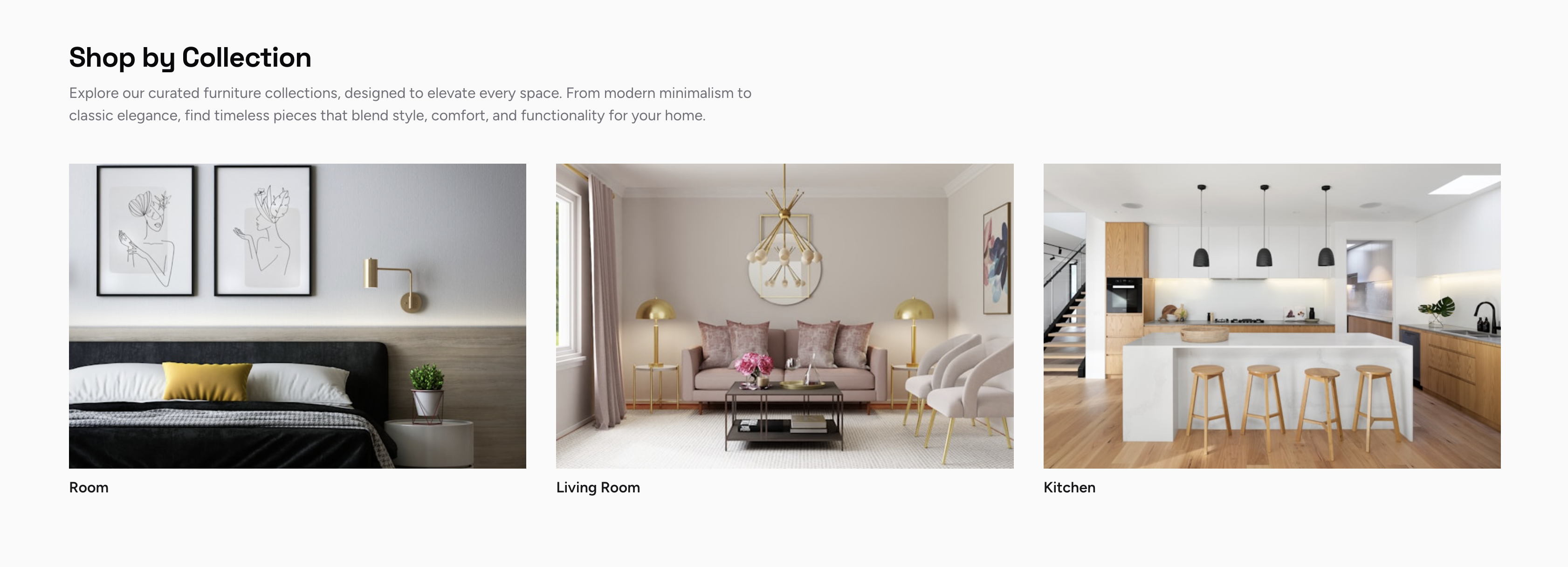
Customers can browse your collections on the storefront:
## Collections on Storefront
Customers can browse your collections on the storefront:
 ## Use Cases
Create an automatic collection for products added in the last 30 days.
Group all discounted products for easy customer access.
Manually curate products perfect for gifting occasions.
Highlight your most popular products.
## Best Practices
* **Update regularly** - Keep seasonal collections fresh and relevant
* **Use compelling images** - Collection images should be eye-catching
* **Write descriptions** - Help customers understand what makes the collection special
* **Feature on homepage** - Use collections to drive traffic to key products
For developer details, see the [Collections documentation](/v2/collections).
## Use Cases
Create an automatic collection for products added in the last 30 days.
Group all discounted products for easy customer access.
Manually curate products perfect for gifting occasions.
Highlight your most popular products.
## Best Practices
* **Update regularly** - Keep seasonal collections fresh and relevant
* **Use compelling images** - Collection images should be eye-catching
* **Write descriptions** - Help customers understand what makes the collection special
* **Feature on homepage** - Use collections to drive traffic to key products
For developer details, see the [Collections documentation](/v2/collections).