> ## Documentation Index
> Fetch the complete documentation index at: https://docs.laravelshopper.dev/llms.txt
> Use this file to discover all available pages before exploring further.
# Starter Kits
> Pre-built storefronts that give you a production-ready starting point for your Shopper store.
Shopper is a headless e-commerce framework. It ships without a frontend, giving you full control over how customers interact with your store. You can build your storefront with any technology: React, Vue, Svelte, or server-rendered Blade.
If you want to skip the blank canvas and start from a working storefront, Shopper provides **Starter Kits**. Each kit is a complete, production-ready storefront that gets copied directly into your Laravel application. Once installed, the code belongs to you. Modify anything, delete what you don't need, or use it as a reference to build something entirely different.
## Starter Kits vs Themes
Starter kits are not themes. The distinction matters.
A theme is a runtime dependency. Your application relies on it, receives updates from it, and can switch between themes. A starter kit is scaffolding used once: the installer copies files into your project, installs dependencies, and removes itself. There is no hidden package to update, no active dependency at runtime.
If you want to "switch" starter kits, you start a new project. This is by design. The trade-off is intentional: you get full ownership and freedom to customize every line of code, at the cost of not being able to swap frontends with a click.
```
Starter Kit Theme (out of scope)
-------------------------------- --------------------------------
Scaffold, used once Runtime, active permanently
Code belongs to the developer Managed by the system
Not switchable Switchable from admin
Manual merge for updates Update = dependency upgrade
```
## Scope
Shopper starter kits cover **Laravel storefronts** only: Laravel + Livewire and Laravel + Inertia.js (Vue or React within the Laravel context).
Projects outside of Laravel (standalone Vue/React SPAs, Svelte, mobile apps) consume the Shopper API independently and are distributed through their own channels (GitHub, ThemeForest, Gumroad, etc.). These are not in scope for the starter kit system.
## Available Kits
### Livewire
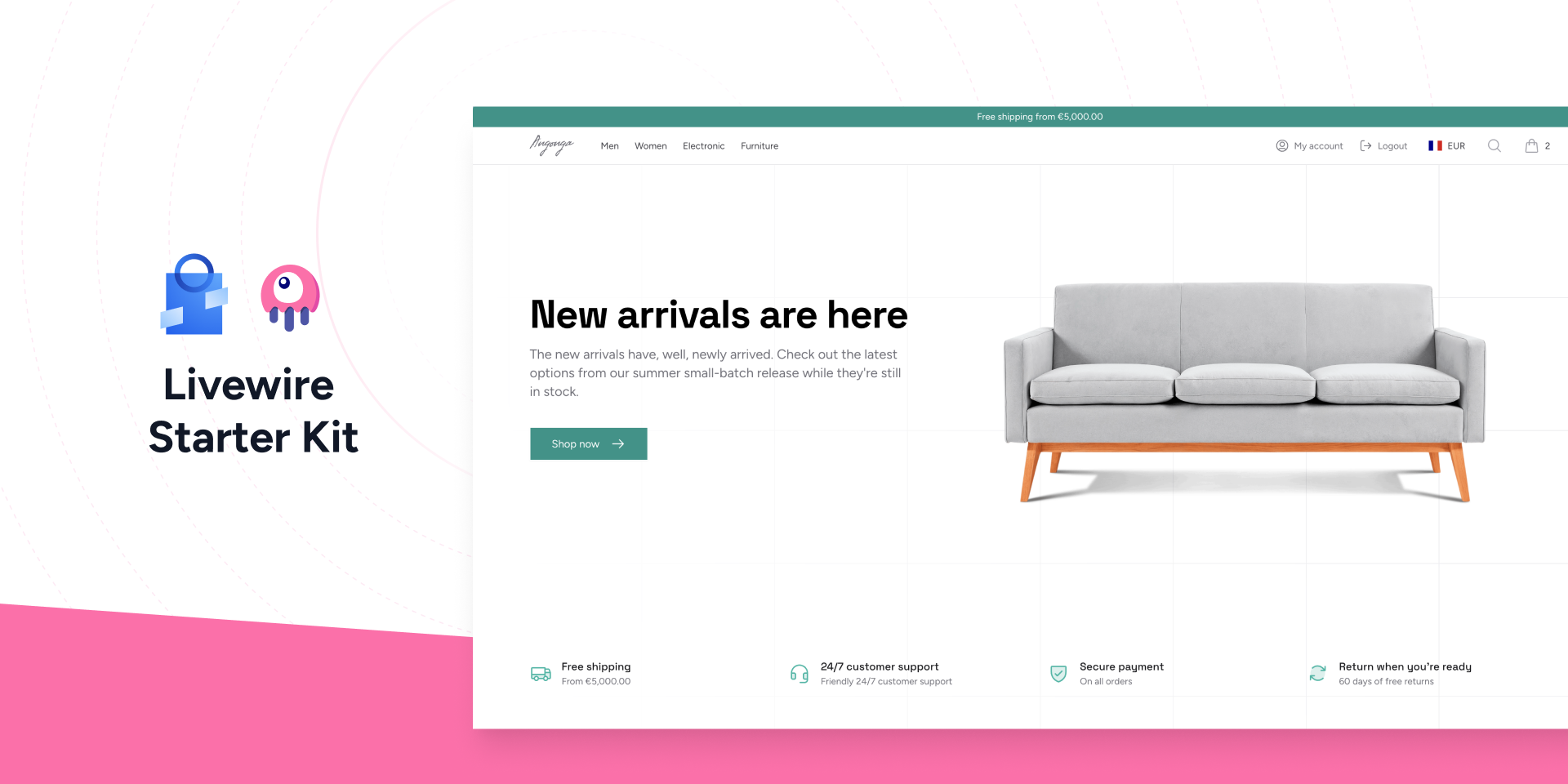
The [Livewire Starter Kit](/v2/livewire-starter-kit) is a full-stack Laravel storefront built with [Livewire 3](https://livewire.laravel.com/), [Flux UI](https://fluxui.dev) and [Tailwind CSS v4](https://tailwindcss.com/). It provides reactive components for product browsing, cart management, multi-step checkout with Stripe payment, customer accounts, and multi-currency zone support.
Because Shopper's admin panel is also built with Livewire, you can reuse patterns and components across your admin and storefront.
 ### React
The [React Starter Kit](/v2/react-starter-kit) is an [Inertia.js](https://inertiajs.com/) storefront built with [React 19](https://react.dev/), [shadcn/ui](https://ui.shadcn.com/) and [Tailwind CSS v4](https://tailwindcss.com/). It keeps the full power of Laravel on the backend with no separate API layer, and is type-safe end to end through [Wayfinder](https://github.com/laravel/wayfinder) routes and a PHP-to-TypeScript transformer.
### Vue
The [Vue Starter Kit](/v2/vue-starter-kit) is an [Inertia.js](https://inertiajs.com/) storefront built with [Vue 3](https://vuejs.org/), [shadcn-vue](https://www.shadcn-vue.com/) and [Tailwind CSS v4](https://tailwindcss.com/). It shares the same Laravel backend as the React kit, so the only difference is the frontend layer.
The React and Vue kits share an identical backend (controllers, actions, DTOs, models, and routes). Choose the kit that matches your frontend stack; everything you read about one applies to the other.
## How It Works
The `shopper:kit:install` command is built into Shopper. No additional package is required. When you run it with a kit package name, the installer performs the following pipeline:
1. **Backup** your `composer.json` for rollback if anything fails
2. **Detect** the kit package on Packagist, GitHub, Bitbucket, or GitLab
3. **Download** the kit temporarily via `composer require`
4. **Read** the `shopper-kit.yaml` manifest from the kit package
5. **Validate** PHP, Laravel, and Shopper version constraints
6. **Copy** files from the kit into your project according to `export_paths`
7. **Install** Composer dependencies declared in the manifest
8. **Run** post-install commands (migrations, storage link, asset build)
9. **Write** a `.shopper-kit` state file tracking installed files with SHA-256 hashes
10. **Remove** the kit package from your `composer.json`
11. **Clean up** the backup file
After installation, every file lives in your project. The kit package is gone from your dependencies.
## The Manifest
Every starter kit contains a `shopper-kit.yaml` manifest at its root. This file declares everything the installer needs: metadata, version constraints, which files to copy, which dependencies to install, and what commands to run after installation.
```yaml theme={null}
name: "My Storefront"
description: "A modern storefront for Shopper."
version: "1.0.0"
author: "acme"
url: "https://github.com/acme/my-storefront"
shopper: "^2.7"
php: "^8.4"
laravel: "^12.0"
export_paths:
- resources/views
- resources/css
- routes/web.php
- app/Livewire
dependencies:
- livewire/livewire: "^3.7"
dev_dependencies: []
post_install:
- php artisan migrate
- npm install && npm run build
```
| Field | Required | Description |
| ------------------ | -------- | ---------------------------------------------- |
| `name` | Yes | Display name of the kit |
| `export_paths` | Yes | Files and directories to copy into the project |
| `description` | No | Short description |
| `version` | No | Semantic version (defaults to `0.0.0`) |
| `author` | No | Author name |
| `url` | No | Kit repository URL |
| `php` | No | PHP version constraint (defaults to `*`) |
| `laravel` | No | Laravel version constraint (defaults to `*`) |
| `shopper` | No | Shopper version constraint (defaults to `*`) |
| `dependencies` | No | Composer packages to install |
| `dev_dependencies` | No | Composer dev packages to install |
| `post_install` | No | Shell commands to run after file copy |
The installer blocks certain paths for security: `.env`, `composer.json`, `composer.lock`, `vendor/`, `.git/`, and `node_modules/` are never copied, even if listed in `export_paths`.
## The `.shopper-kit` State File
After installation, a `.shopper-kit` file is created at the root of your project. It records which kit was installed, its version, and the SHA-256 hash of every copied file.
```json theme={null}
{
"kit": "shopper/livewire-starter-kit",
"version": "1.0.0",
"installed_at": "2026-04-06T14:32:00+00:00",
"files": {
"app/Livewire/Pages/Home.php": "sha256:abc123...",
"resources/views/pages/home.blade.php": "sha256:def456..."
}
}
```
This file should be committed to git. It enables future diff commands to detect which files you have modified locally since installation and which files have changed upstream in a new kit version.
## Creating Your Own Starter Kit
Shopper provides a scaffolding command to create a new starter kit with the correct structure.
```bash theme={null}
php artisan shopper:kit:init
```
The command prompts you for the kit name, package name (in `vendor/name` format), description, and author. It then creates a directory with the following structure:
```
my-starter-kit/
├── shopper-kit.yaml # Manifest. Configure export_paths and dependencies
├── composer.json # Package metadata with type "shopper-starter-kit"
├── README.md # Installation instructions
├── resources/
│ ├── views/
│ ├── css/
│ └── js/
└── routes/
```
From there, add your storefront files and update `shopper-kit.yaml` to declare which paths should be exported. Publish your kit on Packagist or a Git repository, and anyone can install it with `shopper:kit:install`.
You can specify a custom directory for the kit with the `--path` option.
```bash theme={null}
php artisan shopper:kit:init --path=../my-starter-kit
```
### React
The [React Starter Kit](/v2/react-starter-kit) is an [Inertia.js](https://inertiajs.com/) storefront built with [React 19](https://react.dev/), [shadcn/ui](https://ui.shadcn.com/) and [Tailwind CSS v4](https://tailwindcss.com/). It keeps the full power of Laravel on the backend with no separate API layer, and is type-safe end to end through [Wayfinder](https://github.com/laravel/wayfinder) routes and a PHP-to-TypeScript transformer.
### Vue
The [Vue Starter Kit](/v2/vue-starter-kit) is an [Inertia.js](https://inertiajs.com/) storefront built with [Vue 3](https://vuejs.org/), [shadcn-vue](https://www.shadcn-vue.com/) and [Tailwind CSS v4](https://tailwindcss.com/). It shares the same Laravel backend as the React kit, so the only difference is the frontend layer.
The React and Vue kits share an identical backend (controllers, actions, DTOs, models, and routes). Choose the kit that matches your frontend stack; everything you read about one applies to the other.
## How It Works
The `shopper:kit:install` command is built into Shopper. No additional package is required. When you run it with a kit package name, the installer performs the following pipeline:
1. **Backup** your `composer.json` for rollback if anything fails
2. **Detect** the kit package on Packagist, GitHub, Bitbucket, or GitLab
3. **Download** the kit temporarily via `composer require`
4. **Read** the `shopper-kit.yaml` manifest from the kit package
5. **Validate** PHP, Laravel, and Shopper version constraints
6. **Copy** files from the kit into your project according to `export_paths`
7. **Install** Composer dependencies declared in the manifest
8. **Run** post-install commands (migrations, storage link, asset build)
9. **Write** a `.shopper-kit` state file tracking installed files with SHA-256 hashes
10. **Remove** the kit package from your `composer.json`
11. **Clean up** the backup file
After installation, every file lives in your project. The kit package is gone from your dependencies.
## The Manifest
Every starter kit contains a `shopper-kit.yaml` manifest at its root. This file declares everything the installer needs: metadata, version constraints, which files to copy, which dependencies to install, and what commands to run after installation.
```yaml theme={null}
name: "My Storefront"
description: "A modern storefront for Shopper."
version: "1.0.0"
author: "acme"
url: "https://github.com/acme/my-storefront"
shopper: "^2.7"
php: "^8.4"
laravel: "^12.0"
export_paths:
- resources/views
- resources/css
- routes/web.php
- app/Livewire
dependencies:
- livewire/livewire: "^3.7"
dev_dependencies: []
post_install:
- php artisan migrate
- npm install && npm run build
```
| Field | Required | Description |
| ------------------ | -------- | ---------------------------------------------- |
| `name` | Yes | Display name of the kit |
| `export_paths` | Yes | Files and directories to copy into the project |
| `description` | No | Short description |
| `version` | No | Semantic version (defaults to `0.0.0`) |
| `author` | No | Author name |
| `url` | No | Kit repository URL |
| `php` | No | PHP version constraint (defaults to `*`) |
| `laravel` | No | Laravel version constraint (defaults to `*`) |
| `shopper` | No | Shopper version constraint (defaults to `*`) |
| `dependencies` | No | Composer packages to install |
| `dev_dependencies` | No | Composer dev packages to install |
| `post_install` | No | Shell commands to run after file copy |
The installer blocks certain paths for security: `.env`, `composer.json`, `composer.lock`, `vendor/`, `.git/`, and `node_modules/` are never copied, even if listed in `export_paths`.
## The `.shopper-kit` State File
After installation, a `.shopper-kit` file is created at the root of your project. It records which kit was installed, its version, and the SHA-256 hash of every copied file.
```json theme={null}
{
"kit": "shopper/livewire-starter-kit",
"version": "1.0.0",
"installed_at": "2026-04-06T14:32:00+00:00",
"files": {
"app/Livewire/Pages/Home.php": "sha256:abc123...",
"resources/views/pages/home.blade.php": "sha256:def456..."
}
}
```
This file should be committed to git. It enables future diff commands to detect which files you have modified locally since installation and which files have changed upstream in a new kit version.
## Creating Your Own Starter Kit
Shopper provides a scaffolding command to create a new starter kit with the correct structure.
```bash theme={null}
php artisan shopper:kit:init
```
The command prompts you for the kit name, package name (in `vendor/name` format), description, and author. It then creates a directory with the following structure:
```
my-starter-kit/
├── shopper-kit.yaml # Manifest. Configure export_paths and dependencies
├── composer.json # Package metadata with type "shopper-starter-kit"
├── README.md # Installation instructions
├── resources/
│ ├── views/
│ ├── css/
│ └── js/
└── routes/
```
From there, add your storefront files and update `shopper-kit.yaml` to declare which paths should be exported. Publish your kit on Packagist or a Git repository, and anyone can install it with `shopper:kit:install`.
You can specify a custom directory for the kit with the `--path` option.
```bash theme={null}
php artisan shopper:kit:init --path=../my-starter-kit
```