> ## Documentation Index
> Fetch the complete documentation index at: https://docs.laravelshopper.dev/llms.txt
> Use this file to discover all available pages before exploring further.
# Demo Store
> A fully functional e-commerce store built with Shopper to showcase real-world usage patterns.
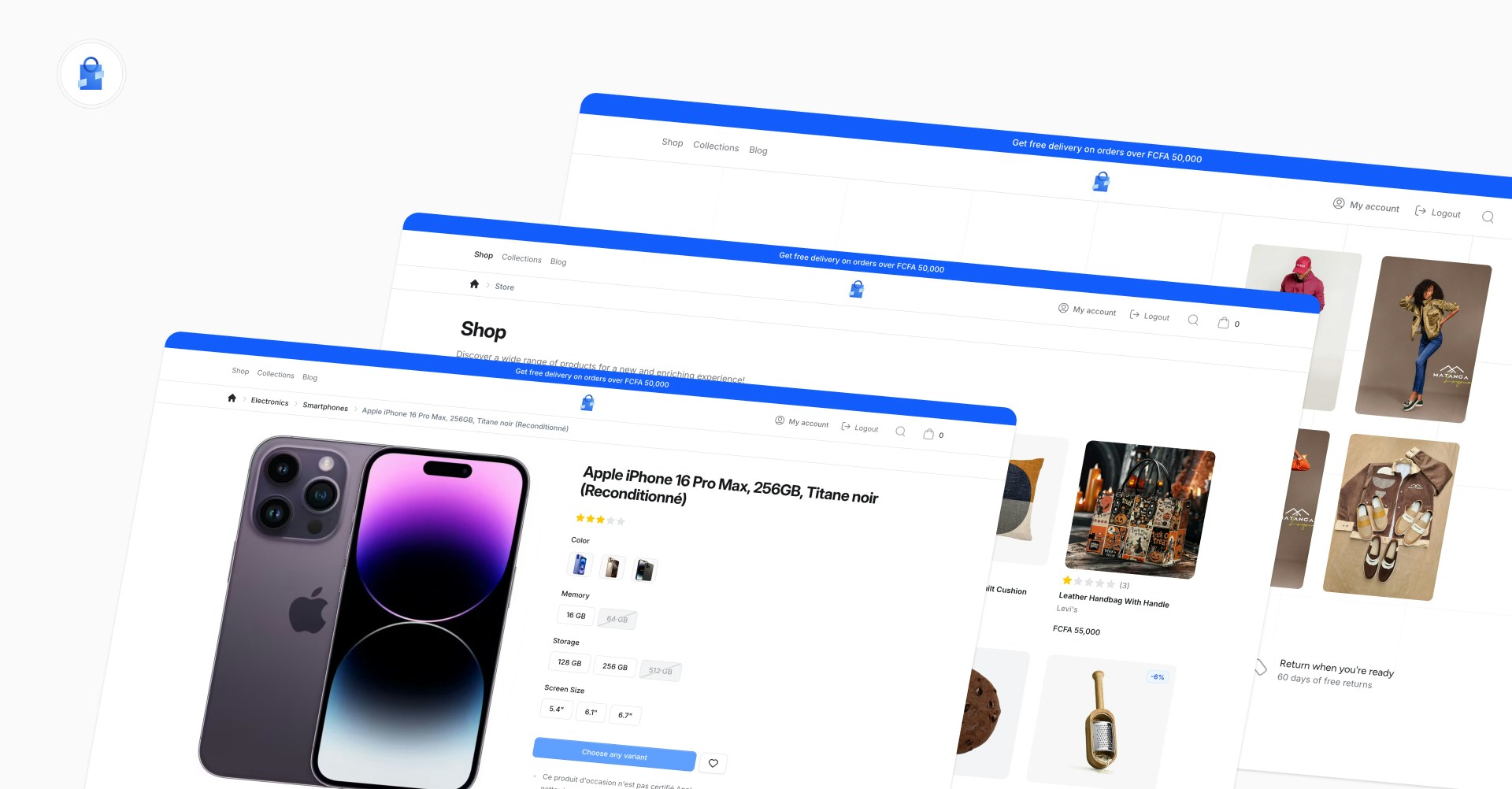
The official Shopper demo is a complete e-commerce application with a storefront and admin panel. It covers product browsing, variant selection, multi-step checkout, customer accounts, a blog, and multi-zone support with country-based currency switching. The full source code is [available on GitHub](https://github.com/shopperlabs/demo.laravelshopper.dev).
Browse the storefront and explore the admin panel at demo.laravelshopper.dev
 ## What's Included
The demo store covers the full e-commerce experience:
* **Product catalog** with categories, collections, attribute filtering, and search
* **Product pages** with variant selection, image gallery, multi-currency pricing, and reviews
* **Multi-step checkout** with address selection, shipping method, and payment (Stripe, NotchPay, Cash)
* **Customer accounts** with profile management, address book, and order history
* **Blog** with articles, categories, featured images, and rich content
* **Multi-zone support** with country-based currency switching and shipping options
* **Admin panel** at `/cpanel` powered by Shopper with Filament
## Key Patterns
The demo is designed as a reference implementation. Here are the main patterns you can study in the codebase.
**Extending Shopper models** with custom logic. The demo's `Product` model adds a `HasProductPricing` trait for multi-currency price formatting, and all catalog models (Category, Brand, Collection) are extended in `app/Models/` to show how model swapping works in practice.
**Multi-step checkout** built with Livewire. The `CheckoutWizard` component orchestrates three steps (Shipping, Delivery, Payment), each as its own Livewire component under `app/Livewire/Checkout/`. Session state is managed through a dedicated `CheckoutSession` class.
**Domain actions** for business logic. Instead of putting logic in controllers, the demo uses Action classes in `app/Actions/` for operations like `CreateOrder`, `AddToCart`, and `ResolveVariantAvailability`. Each action has a single responsibility and is easy to test.
**Extending the admin sidebar.** The demo adds a Blog section to Shopper's admin panel through `app/Sidebar/BlogSidebar.php`, with custom Livewire pages for managing posts and categories under `app/Livewire/Shopper/Blog/`.
**Multi-currency pricing** via shipping zones. The `ZoneSessionManager` action and `ZoneSelector` slide-over component handle country-based currency switching. The `HasProductPricing` trait on the Product model formats prices based on the active zone's currency.
**Payment gateway integration** with multiple providers. The checkout supports Stripe (with webhooks via `StripeWebhookController`), NotchPay, and Cash on Delivery, configured through `config/shopper/payment.php`.
**Feature toggling.** The demo disables the Suppliers feature in `config/shopper/features.php` to show that you can turn off any part of Shopper you don't need.
## Admin Panel Access
You can log in to the admin panel at [`/cpanel`](https://demo.laravelshopper.dev/cpanel):
* **Email:** `admin@laravelshopper.dev`
* **Password:** `demo.Shopper@2026!`
The demo database is reset periodically. Please be respectful when editing data.
## Source Code
The full source code is available on GitHub. You can clone it and run it locally to explore the codebase, modify it, or use it as a starting point for your own store.
Browse the source code on GitHub
To run the demo locally, clone the repository and run the setup command. This handles environment configuration, database migrations, and seeding with demo data.
```bash theme={null}
git clone https://github.com/shopperlabs/demo.laravelshopper.dev.git shopper-demo && cd shopper-demo
composer install
npm install && npm run build
composer setup
```
Then access the storefront at the URL provided by your local server.
The storefront is built with Livewire 3, Volt, and Flux UI, styled with Tailwind CSS 4. The production deployment uses Docker with FrankenPHP (Octane).
## What's Included
The demo store covers the full e-commerce experience:
* **Product catalog** with categories, collections, attribute filtering, and search
* **Product pages** with variant selection, image gallery, multi-currency pricing, and reviews
* **Multi-step checkout** with address selection, shipping method, and payment (Stripe, NotchPay, Cash)
* **Customer accounts** with profile management, address book, and order history
* **Blog** with articles, categories, featured images, and rich content
* **Multi-zone support** with country-based currency switching and shipping options
* **Admin panel** at `/cpanel` powered by Shopper with Filament
## Key Patterns
The demo is designed as a reference implementation. Here are the main patterns you can study in the codebase.
**Extending Shopper models** with custom logic. The demo's `Product` model adds a `HasProductPricing` trait for multi-currency price formatting, and all catalog models (Category, Brand, Collection) are extended in `app/Models/` to show how model swapping works in practice.
**Multi-step checkout** built with Livewire. The `CheckoutWizard` component orchestrates three steps (Shipping, Delivery, Payment), each as its own Livewire component under `app/Livewire/Checkout/`. Session state is managed through a dedicated `CheckoutSession` class.
**Domain actions** for business logic. Instead of putting logic in controllers, the demo uses Action classes in `app/Actions/` for operations like `CreateOrder`, `AddToCart`, and `ResolveVariantAvailability`. Each action has a single responsibility and is easy to test.
**Extending the admin sidebar.** The demo adds a Blog section to Shopper's admin panel through `app/Sidebar/BlogSidebar.php`, with custom Livewire pages for managing posts and categories under `app/Livewire/Shopper/Blog/`.
**Multi-currency pricing** via shipping zones. The `ZoneSessionManager` action and `ZoneSelector` slide-over component handle country-based currency switching. The `HasProductPricing` trait on the Product model formats prices based on the active zone's currency.
**Payment gateway integration** with multiple providers. The checkout supports Stripe (with webhooks via `StripeWebhookController`), NotchPay, and Cash on Delivery, configured through `config/shopper/payment.php`.
**Feature toggling.** The demo disables the Suppliers feature in `config/shopper/features.php` to show that you can turn off any part of Shopper you don't need.
## Admin Panel Access
You can log in to the admin panel at [`/cpanel`](https://demo.laravelshopper.dev/cpanel):
* **Email:** `admin@laravelshopper.dev`
* **Password:** `demo.Shopper@2026!`
The demo database is reset periodically. Please be respectful when editing data.
## Source Code
The full source code is available on GitHub. You can clone it and run it locally to explore the codebase, modify it, or use it as a starting point for your own store.
Browse the source code on GitHub
To run the demo locally, clone the repository and run the setup command. This handles environment configuration, database migrations, and seeding with demo data.
```bash theme={null}
git clone https://github.com/shopperlabs/demo.laravelshopper.dev.git shopper-demo && cd shopper-demo
composer install
npm install && npm run build
composer setup
```
Then access the storefront at the URL provided by your local server.
The storefront is built with Livewire 3, Volt, and Flux UI, styled with Tailwind CSS 4. The production deployment uses Docker with FrankenPHP (Octane).