> ## Documentation Index
> Fetch the complete documentation index at: https://docs.laravelshopper.dev/llms.txt
> Use this file to discover all available pages before exploring further.
# Dashboard
> The dashboard is a user-customizable screen. One of Shopper's main goals is to enable stores to easily customize the modules.
This is documentation for Shopper v1, which is no longer maintained. Please refer to the [v2 docs](/v2) for the latest information.
## Overview
When you log into the control panel, you will be taken to the dashboard — a customizable screen dispatch with a Livewire component!
Shopper is a free open-source e-commerce application based on the [TALL Stack](https://tallstack.dev) and aims to build an e-commerce administration using only [Livewire](https://laravel-livewire.com) components.
The navigation at the left contains the available panels for everyday use:
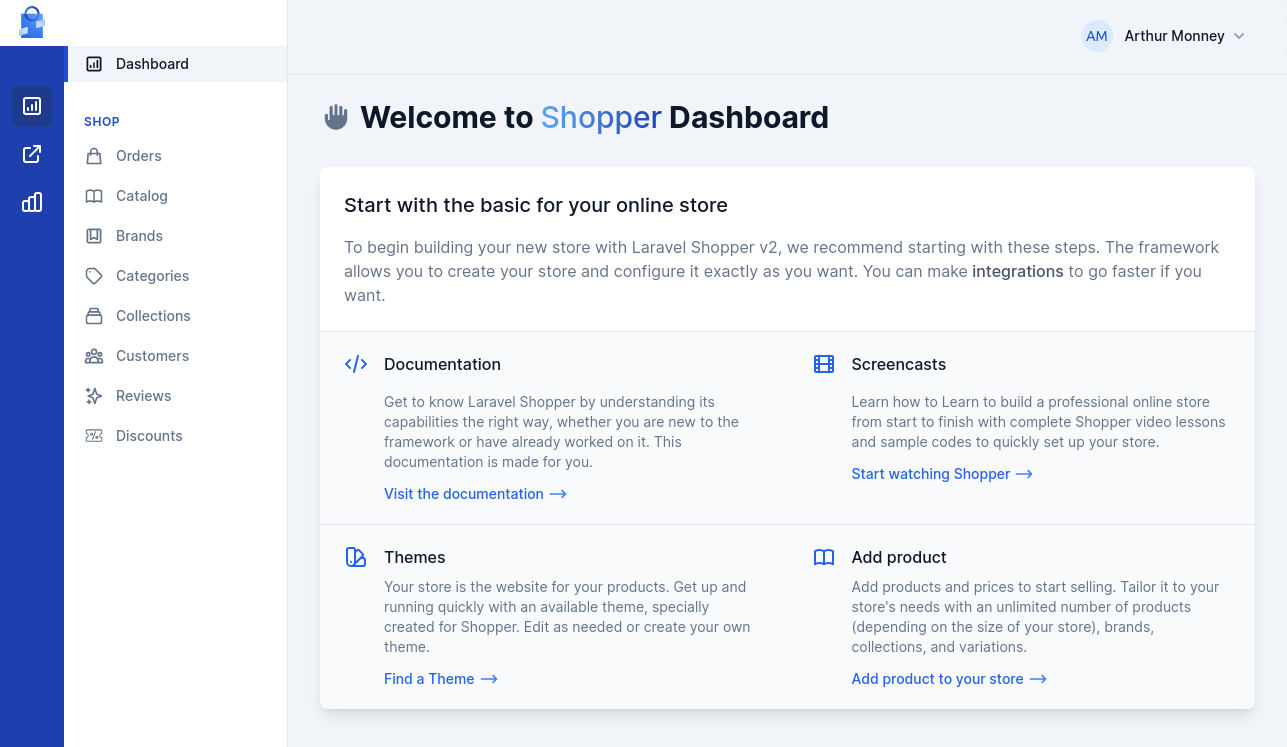 Clicking on each icon will open the panel or shows a list of available panels.
## Components
The component that displays the dashboard is quite simple, so you can easily replace it to put your own.
The component used is `Shopper\Http\Livewire\Pages\Dashboard` and can also be found in the components file `config/shopper/components.php`.
```php theme={null}
namespace Shopper\Http\Livewire\Pages;
use Livewire\Component;
class Dashboard extends Component
{
public function render()
{
return view('shopper::livewire.pages.dashboard')
->layout('shopper::components.layouts.app', [
'title' => __('shopper::layout.sidebar.dashboard'),
]);
}
}
```
## Layout
Shopper comes with a [Tailwind CSS](https://tailwindcss.com) based design and you can [extend](/extending/control-panel) the default layout for your components.
```blade theme={null}
{{-- Your content here --}}
```
All pages that will be on the administration must have this content and extend the default layout of Shopper
Clicking on each icon will open the panel or shows a list of available panels.
## Components
The component that displays the dashboard is quite simple, so you can easily replace it to put your own.
The component used is `Shopper\Http\Livewire\Pages\Dashboard` and can also be found in the components file `config/shopper/components.php`.
```php theme={null}
namespace Shopper\Http\Livewire\Pages;
use Livewire\Component;
class Dashboard extends Component
{
public function render()
{
return view('shopper::livewire.pages.dashboard')
->layout('shopper::components.layouts.app', [
'title' => __('shopper::layout.sidebar.dashboard'),
]);
}
}
```
## Layout
Shopper comes with a [Tailwind CSS](https://tailwindcss.com) based design and you can [extend](/extending/control-panel) the default layout for your components.
```blade theme={null}
{{-- Your content here --}}
```
All pages that will be on the administration must have this content and extend the default layout of Shopper